
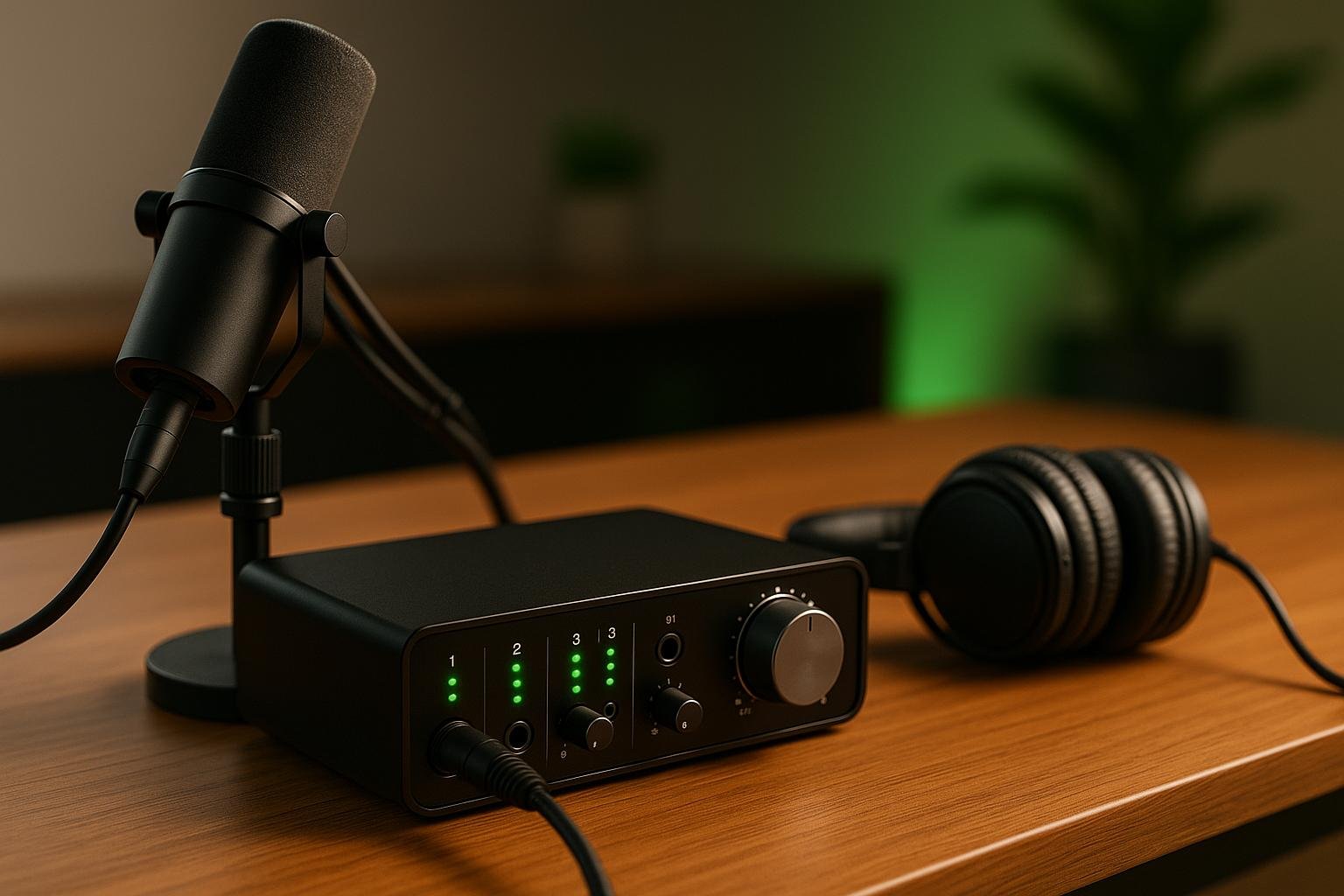

Podcasting in 2025 demands audio interfaces that deliver superior sound quality, low latency, and modern features like USB-C connectivity and loopback functionality. Whether you’re recording solo, hosting interviews, or managing multi-guest setups, choosing the right interface can simplify your workflow and improve your audio. Below are the top audio interfaces for podcasting in 2025, tailored to various needs and budgets:
- Quick Comparison
- Best Audio Interfaces for Podcasting for All Levels
- What to Look for in a Podcasting Audio Interface
- 1. Focusrite Vocaster Two
- Number of Mic Inputs
- Preamplifier Quality
- Connectivity Options
- Onboard Mixing and Loopback Features
- 2. ZOOM PodTrak P8
- Number of Mic Inputs
- Connectivity Options
- Onboard Mixing and Loopback Features
- 3. RØDECaster Pro 2
- Number of Mic Inputs
- Preamplifier Quality
- Connectivity Options
- Onboard Mixing and Loopback Features
- 4. PreSonus Revelator io24
- Number of Mic Inputs
- Preamplifier Quality
- Connectivity Options
- Onboard Mixing and Loopback Features
- 5. Focusrite Scarlett 4i4
- Number of Mic Inputs
- Preamplifier Quality
- Connectivity Options
- Onboard Mixing and Loopback Features
- 6. Universal Audio Apollo Solo
- Number of Mic Inputs
- Preamplifier Quality
- Connectivity Options
- Onboard Mixing and Loopback Features
- sbb-itb-0e595bb
- 7. Audient iD4 MkII
- Number of Mic Inputs
- Preamplifier Quality
- Connectivity Options
- Onboard Mixing and Loopback Features
- 8. SSL 2+
- Number of Mic Inputs
- Preamplifier Quality
- Connectivity Options
- Onboard Mixing and Loopback Features
- 9. Behringer U-Phoria UMC22
- Number of Mic Inputs
- Preamplifier Quality
- Connectivity Options
- Onboard Mixing and Loopback Features
- 10. Maonocaster E2
- Number of Mic Inputs
- Preamplifier Quality
- Connectivity Options
- Onboard Mixing and Loopback Features
- Comparison Chart
- Expert Advice and Recommendations
- Conclusion
- FAQs
- What should I look for when choosing an audio interface for podcasting in 2025?
- What is loopback functionality, and why is it useful for podcasting?
- Can I find affordable audio interfaces that deliver professional-quality sound for podcasting?
- Related Blog Posts
- Focusrite Vocaster Two ($299): 2 XLR inputs, USB-C, auto-gain, and loopback. Ideal for co-hosted podcasts or interviews.
- ZOOM PodTrak P8 ($550): 6 XLR inputs, sound pads, and remote guest support. Best for group discussions.
- RØDECaster Pro 2 ($699–$799): 4 XLR inputs, Bluetooth, and onboard processing. A premium all-in-one solution for professional setups.
- PreSonus Revelator io24 ($199): 2 XLR inputs, USB-C, and built-in loopback. Good for streamers but lacks top-tier sound quality.
- Focusrite Scarlett 4i4 ($259–$299): 2 XLR inputs, USB-C, and excellent preamps. Great for small teams or one-on-one interviews.
- Universal Audio Apollo Solo ($499–$699): 1 XLR input, Thunderbolt, and studio-grade preamps. Best for solo podcasters.
- Audient iD4 MkII ($129–$199): 1 XLR input, USB-C, and solid preamp quality. Affordable for solo creators.
- SSL 2+ ($229–$249): 2 XLR inputs, USB-C, and a "4K" EQ boost. Perfect for interviews or co-hosted shows.
- Behringer U-Phoria UMC22 ($49–$69): 1 XLR input, USB, and basic functionality. Budget-friendly for beginners.
- Maonocaster E2 ($150–$200): 2 XLR inputs, USB-C, and onboard mixing. A beginner-friendly option with sound pads.
Quick Comparison
| Product Name | Inputs | Connectivity | Price (USD) | Best For |
|---|---|---|---|---|
| Focusrite Vocaster Two | 2 XLR | USB-C | $299 | Co-hosted podcasts |
| ZOOM PodTrak P8 | 6 XLR | USB, Bluetooth | $550 | Group discussions |
| RØDECaster Pro 2 | 4 XLR | USB, Bluetooth | $699–$799 | Professional all-in-one setup |
| PreSonus Revelator io24 | 2 XLR | USB-C | $199 | Streamers |
| Focusrite Scarlett 4i4 | 2 XLR | USB-C | $259–$299 | Small teams |
| Universal Audio Apollo Solo | 1 XLR | Thunderbolt | $499–$699 | Solo podcasters |
| Audient iD4 MkII | 1 XLR | USB-C | $129–$199 | Budget solo creators |
| SSL 2+ | 2 XLR | USB-C | $229–$249 | Interviews or co-hosted shows |
| Behringer U-Phoria UMC22 | 1 XLR | USB | $49–$69 | Beginners |
| Maonocaster E2 | 2 XLR | USB-C | $150–$200 | Beginners with mixing needs |
Each option offers unique features, so match your choice to your podcasting setup and goals. For solo creators, the Universal Audio Apollo Solo stands out for its sound quality, while multi-host setups might benefit from the ZOOM PodTrak P8 or RØDECaster Pro 2. Budget-conscious podcasters can start with the Behringer U-Phoria UMC22 or Audient iD4 MkII.
Best Audio Interfaces for Podcasting for All Levels [2024]
What to Look for in a Podcasting Audio Interface
Choosing the right audio interface for your podcast can make a world of difference in sound quality and ease of use. To get the best results, focus on features that align with your specific needs. These will directly influence the clarity and reliability of your recordings.
Microphone Inputs and XLR Connections are a must for professional podcasting. XLR connectors provide balanced and secure connections, ensuring high-quality audio. If you’re hosting solo, a single XLR input will suffice. For co-hosted shows or group discussions, you’ll need two or more inputs. For example, the ZOOM PodTrak P8 offers six XLR inputs, making it ideal for panel discussions or interviews with multiple guests. Having extra inputs also gives you flexibility for future growth without requiring new equipment.
Preamp Quality plays a crucial role in how polished your recordings sound. High-quality preamps, like those in the Universal Audio Apollo Solo or Focusrite Scarlett 4i4, deliver clean, professional-grade audio with minimal noise or distortion [1][2]. If you’re unsure about preamp quality, listen to audio samples to compare the clarity and warmth between budget-friendly and premium models.
Latency refers to the delay between your input and what you hear through your headphones. High latency can disrupt conversations and make live monitoring difficult. Many modern interfaces, such as the Focusrite Scarlett 4i4 and Universal Audio Apollo Solo, feature "zero-latency" monitoring to eliminate this issue [1][2].
Connectivity Options have come a long way. USB-C and Thunderbolt connections now offer faster and more stable data transfer compared to older USB-A ports. Some interfaces even support mobile setups, like the iPad Pro via USB-C, making it easier to record on the go [1].
Loopback Functionality is a game-changer for remote interviews or live streaming. This feature allows you to capture audio from your computer, such as a Zoom call, directly into your recording. Models like the Focusrite Scarlett 4i4 and PreSonus Revelator io24 come with built-in loopback capabilities [1].
Portability becomes important if you’re recording in multiple locations. Compact models like the Universal Audio Apollo Solo deliver excellent sound quality without taking up much space, making them perfect for travel [1].
Budget Planning is all about balancing your needs with your finances. Options range from affordable models like the Behringer U-Phoria UMC22 to high-end choices like the Universal Audio Apollo Solo or RØDECaster Pro 2 [2]. While budget models can handle basic tasks, investing in better preamps and features will elevate your audio quality.
Additional Technical Features can enhance your workflow. For instance, phantom power is essential for condenser microphones, while DSP effects like EQ and compression allow real-time audio processing without overloading your computer. Some interfaces, like the SSL 2+, even offer unique features such as the "4K" button, which boosts high frequencies and adds harmonic warmth to mimic classic SSL console sound [1].
| Feature | Budget Option | Mid-Range | Premium |
|---|---|---|---|
| XLR Inputs | 1–2 | 2–4 | 4+ |
| Preamp Quality | Basic | Good | Excellent |
| Connectivity | USB-A | USB-C | Thunderbolt/USB-C |
| Latency | Low | Near-zero | Zero |
| Loopback | Limited | Yes | Advanced |
Ultimately, the best audio interface for you depends on your specific podcasting setup. A solo podcaster in a home studio will need different features than a team producing live-streamed panel discussions. Focus on the features that matter most for your workflow, and you’ll be well-equipped to create professional-quality recordings.
1. Focusrite Vocaster Two
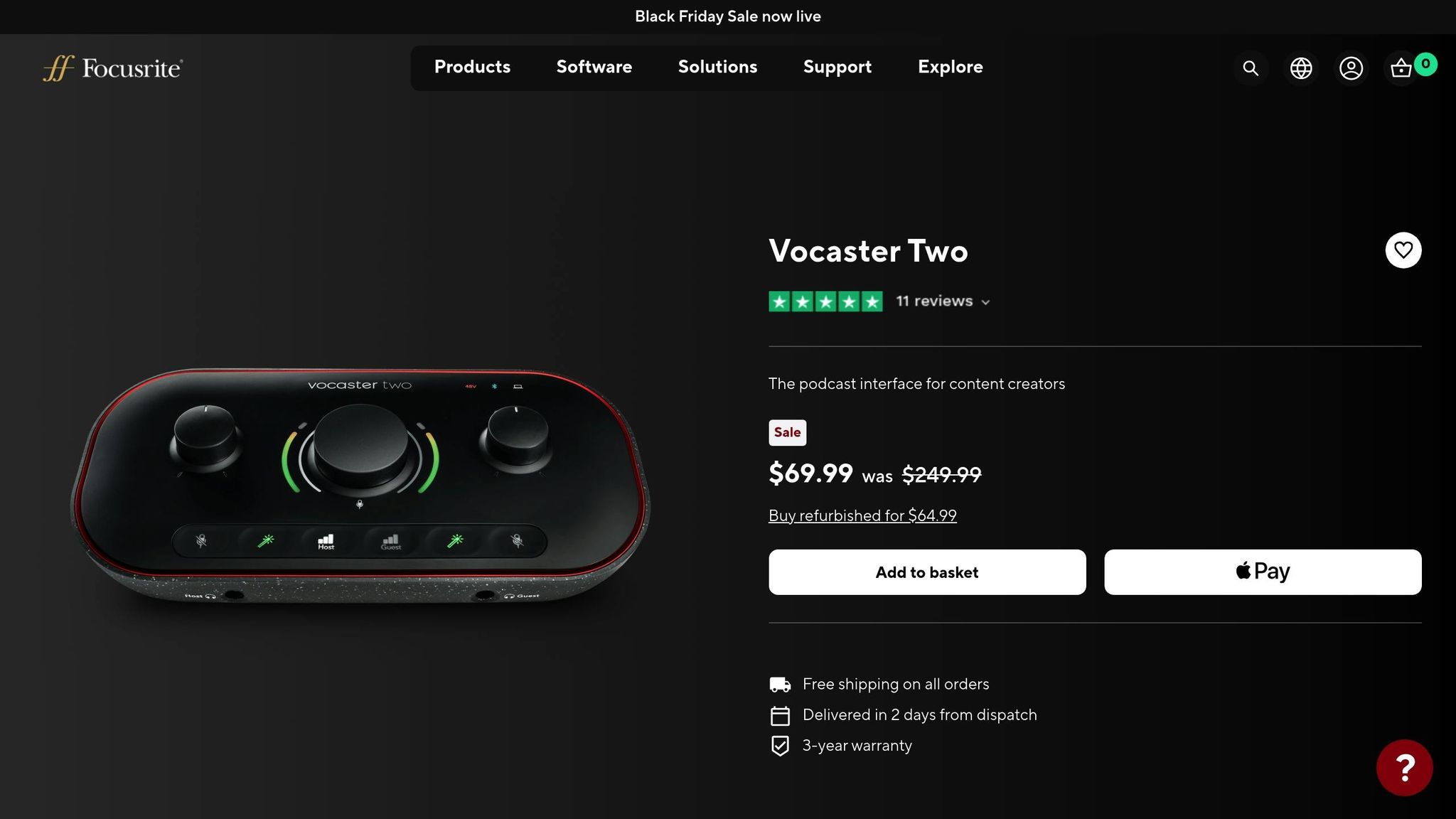
The Focusrite Vocaster Two strikes a great balance between ease of use and professional-grade audio quality, making it a go-to choice for podcasters who want excellent sound without the hassle of a steep learning curve. Here’s what makes it stand out:
Number of Mic Inputs
Equipped with two XLR microphone inputs, this interface is perfect for co-hosted podcasts, interviews, or any setup involving multiple speakers.
Preamplifier Quality
Its high-quality preamps provide up to 70dB of gain, ensuring even demanding microphones like the Shure SM7B perform at their best – no external amplifiers required.
Connectivity Options
Thanks to USB-C connectivity and a class-compliant design, the Vocaster Two offers quick data transfer and works seamlessly with both Mac and Windows systems.
Onboard Mixing and Loopback Features
Features like auto-gain and customizable voice presets simplify the recording process. The built-in loopback function makes it easy to incorporate remote interviews from platforms like Zoom or Skype. Plus, it supports phone interviews through mobile device connectivity.
With its compact, intuitive design, the Focusrite Vocaster Two is beginner-friendly while still meeting the needs of seasoned podcasters. At $299, it’s a solid mid-range option for anyone looking for dependable, user-friendly podcasting gear. [3]
2. ZOOM PodTrak P8
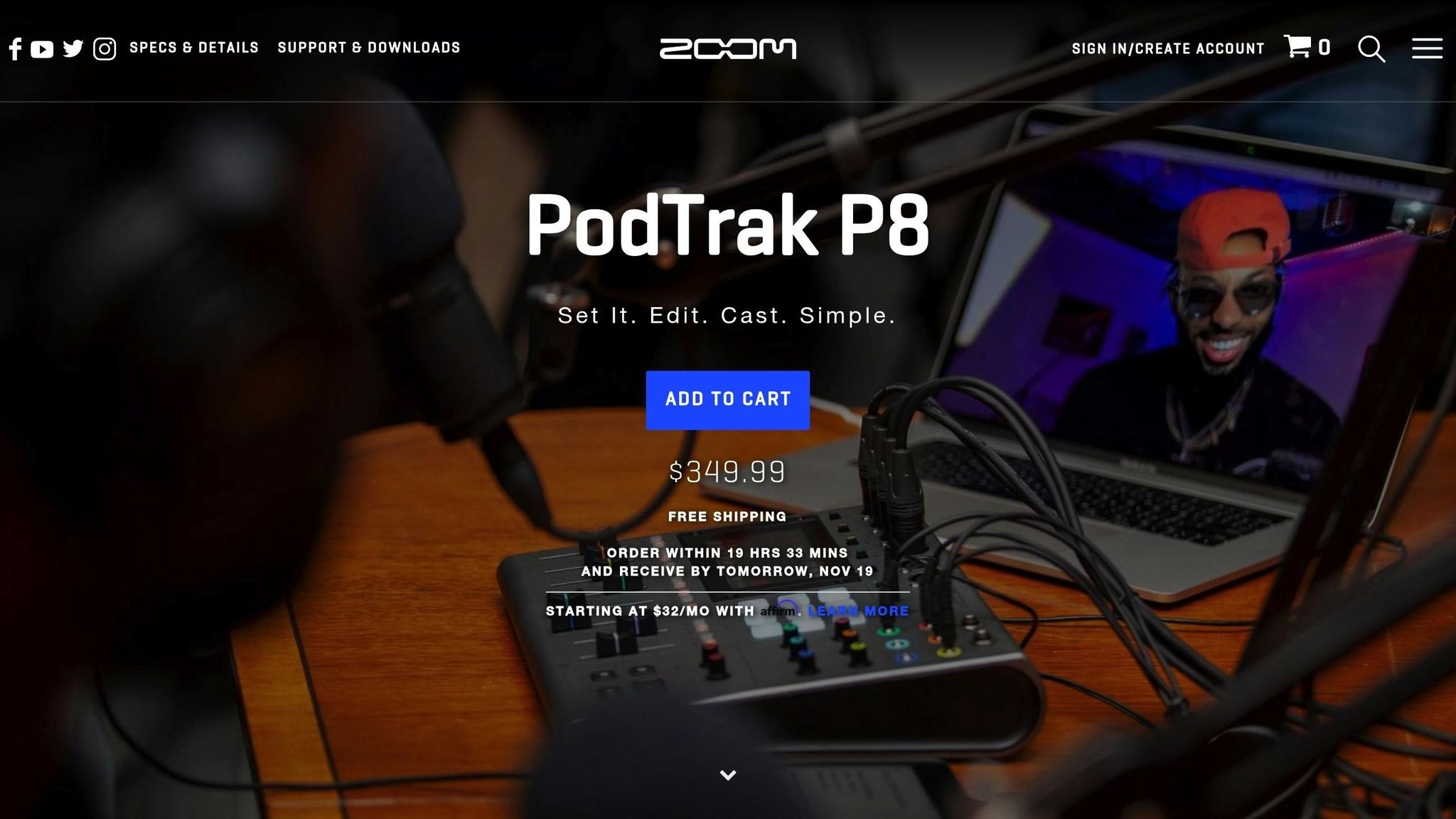
The ZOOM PodTrak P8 is a versatile audio interface designed specifically for podcasters who need multiple microphone inputs and the ability to connect with remote guests. Here’s a closer look at its standout features.
Number of Mic Inputs
With six XLR microphone inputs, this device can easily handle group podcasts or setups with multiple speakers.
Connectivity Options
The PodTrak P8 connects via USB and supports up to three remote guests, making it simple to bring in contributors through phone or internet calls while maintaining clear audio quality.
Onboard Mixing and Loopback Features
This device packs 36 customizable sound pads, onboard mixing capabilities, and loopback functionality. These features let you fine-tune audio levels and capture computer playback seamlessly during your recordings.
At $550, the ZOOM PodTrak P8 combines multi-mic support, extensive sound pad options, and remote guest integration, making it a solid choice for podcast creators looking to elevate their production setup.
3. RØDECaster Pro 2
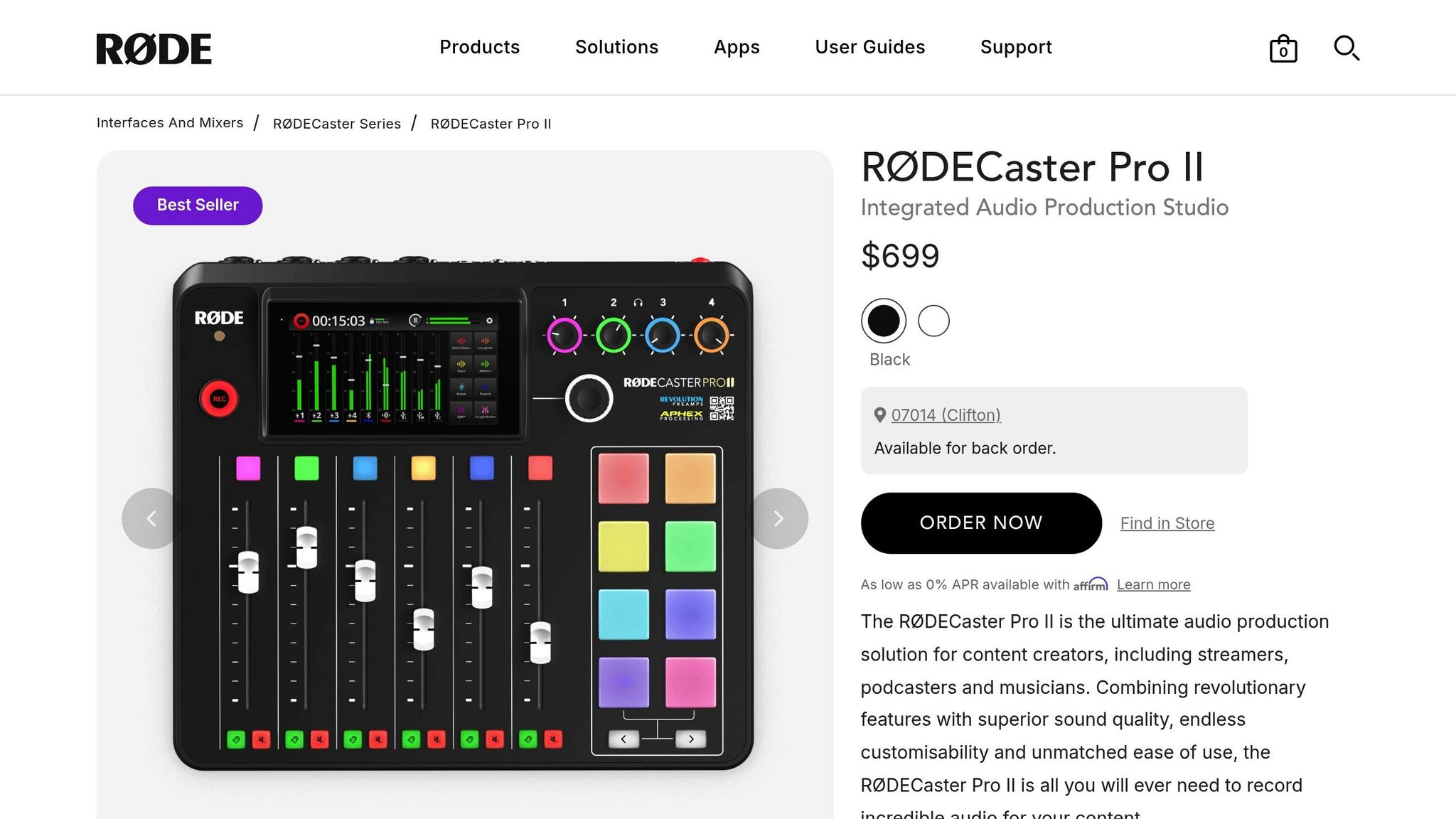
The RØDECaster Pro 2 is a podcasting powerhouse, combining a mixer, audio interface, and studio-quality features into a single device. It’s designed to simplify the workflow for podcasters who want professional results without juggling multiple pieces of gear. Let’s dive into what makes this device stand out.
Number of Mic Inputs
With four XLR microphone inputs, the RØDECaster Pro 2 is perfectly suited for multi-host podcasts. Each input comes with its own dedicated headphone output, giving every participant the ability to monitor their audio independently. This makes it an excellent choice for group discussions or panel-style recordings where clear communication and precise audio control are essential.
Preamplifier Quality
Equipped with Revolution preamps offering up to 75dB of gain, the RØDECaster Pro 2 ensures clean and detailed sound, even with dynamic microphones that typically demand extra power. These preamps minimize noise, so you can capture crisp vocals without worrying about distortion or interference. Whether you’re recording a solo episode or a group conversation, the audio quality remains top-notch.
Connectivity Options
For seamless integration with various setups, the device includes dual USB-C ports, allowing you to connect multiple computers simultaneously. It also supports Bluetooth and Wi-Fi, making it easy to bring in remote guests or take phone calls wirelessly. This versatility is a game-changer for podcasters who need a flexible setup for streaming or recording across different platforms.
Onboard Mixing and Loopback Features
The RØDECaster Pro 2 features a touchscreen interface and programmable sound pads, letting you trigger effects and sound bites in real time. Built-in processors like compression, EQ, and Aphex tools enhance your audio on the fly, ensuring your recordings sound polished. It also supports multitrack recording and loopback, so you can capture isolated audio tracks while recording computer playback. You can save your recordings directly to a microSD card, USB storage, or stream them to your computer for post-production.
Priced between $699 and $799, the RØDECaster Pro 2 eliminates the need for multiple devices, offering an all-in-one solution for podcasters. With regular firmware updates from RØDE, the device continues to adapt to the ever-changing demands of podcasting, making it a forward-thinking investment for content creators in 2025.
4. PreSonus Revelator io24
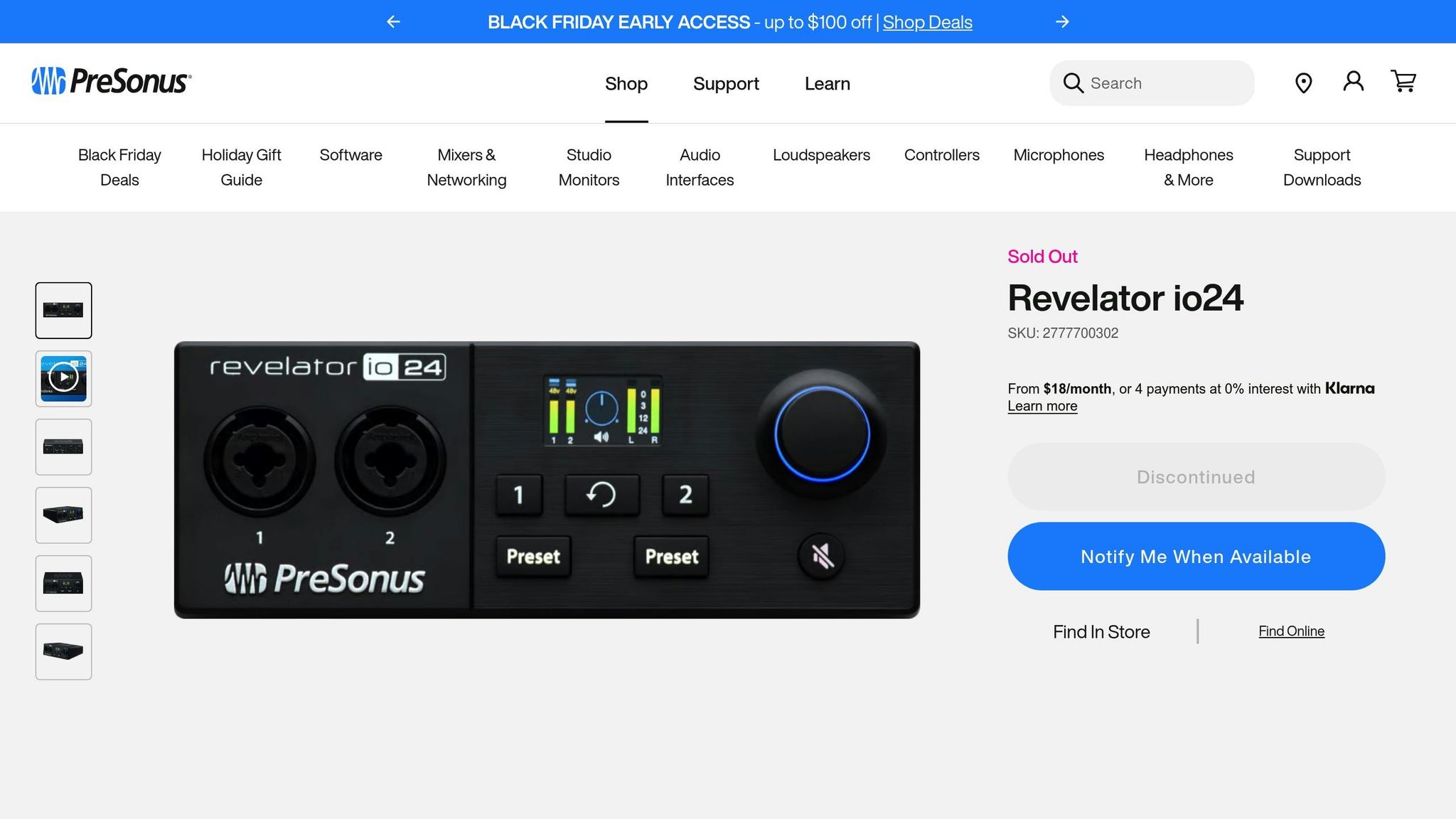
The PreSonus Revelator io24 is designed with live streaming in mind, offering features that cater specifically to streamers. While it performs reasonably well for podcasting, its preamps may not meet the expectations of audiophiles seeking crystal-clear sound.
Number of Mic Inputs
This interface includes two combo XLR/TRS mic/line inputs. The combo design is convenient for connecting both microphones and line-level instruments, but it may not be ideal for those planning larger, multi-mic setups, such as panel discussions.
Preamplifier Quality
The preamps are suitable for basic podcasting needs, but some reviews describe the sound as "muffled and overworked"[1]. While they provide enough gain for most microphones, they may fall short if you’re after a clean and highly detailed audio profile. For casual streamers or podcasters, though, they should suffice.
Connectivity Options
The Revelator io24 connects via USB-C, ensuring fast and reliable data transfer. It’s compatible with both Mac and Windows systems and doesn’t require additional drivers, making setup quick and straightforward.
Onboard Mixing and Loopback Features
One of its standout features is the integrated loopback functionality, which allows you to mix multiple audio sources – like microphones, computer audio, music, and remote guest calls – into a single stream. This is all managed through PreSonus’s dedicated software. The built-in LCD screen offers easy access to controls and real-time monitoring, adding to its ease of use.
With a price range of $179 to $199, the Revelator io24 is a solid choice for streamers who prioritize built-in mixing tools over high-end preamp performance.
5. Focusrite Scarlett 4i4
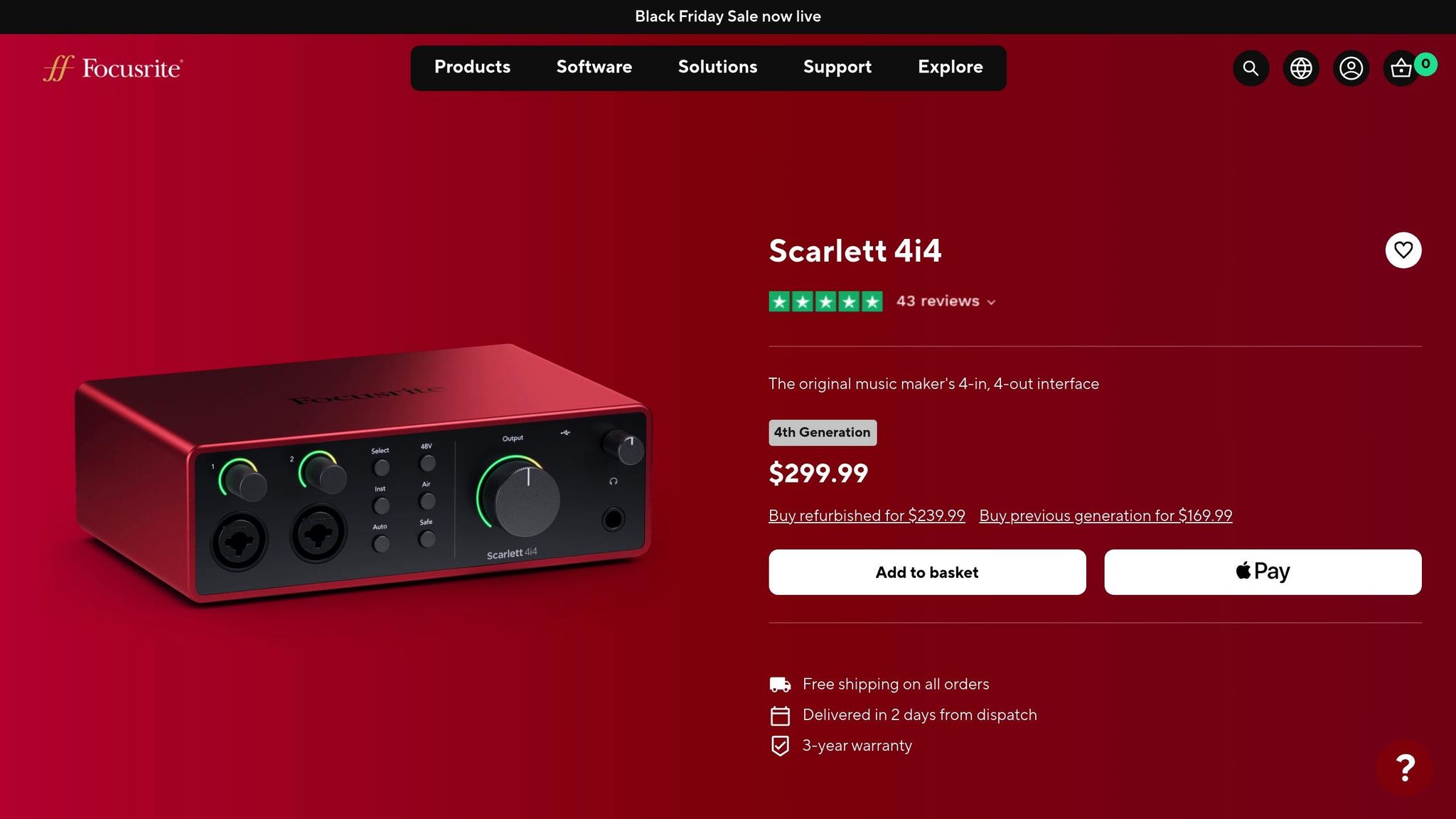
The Focusrite Scarlett 4i4 is a standout choice for podcasting and voice-over projects, offering top-tier sound quality at an accessible price. With a perfect 5.0/5.0 rating in comparative reviews, it’s one of the most highly recommended options for creators seeking professional results[1].
Number of Mic Inputs
The Scarlett 4i4 is designed to meet the needs of most podcasting setups. It features two XLR mic inputs, which are ideal for dual-microphone configurations. This setup works seamlessly for small teams or one-on-one interviews. However, if you’re planning larger group discussions or roundtable podcasts, you might need an interface with more input options[1].
Preamplifier Quality
The preamps in the Scarlett 4i4 are a highlight, offering audio clarity that rivals much pricier models. These preamps deliver clean, transparent sound with minimal noise, ensuring professional-grade recordings. In head-to-head comparisons, it performed just below the Universal Audio Apollo Solo but outshined competitors like the SSL 2+ and Audient iD4 MkII, making it a reliable choice for high-quality audio capture[1].
Connectivity Options
Equipped with USB-C connectivity, the Scarlett 4i4 ensures fast and reliable performance across a wide range of devices. Whether you’re working in a home studio or need something portable for on-the-go recording, the USB-C connection offers versatility and convenience[1].
Onboard Mixing and Loopback Features
One of the Scarlett 4i4’s standout features is its virtual loopback channels, which allow you to record audio directly from applications such as Zoom, Skype, or even your browser. This eliminates the need for extra hardware or complicated setups. Additionally, its low-latency performance ensures smooth real-time monitoring, making it easier to manage live recordings without any distracting delays[1].
Combining top-notch preamps, flexible connectivity, and practical loopback functionality, the Scarlett 4i4 is a smart choice for creators aiming for professional sound without breaking the bank. Whether you’re a beginner or an experienced podcaster, this interface offers the tools you need to elevate your recordings to the next level[1].
6. Universal Audio Apollo Solo
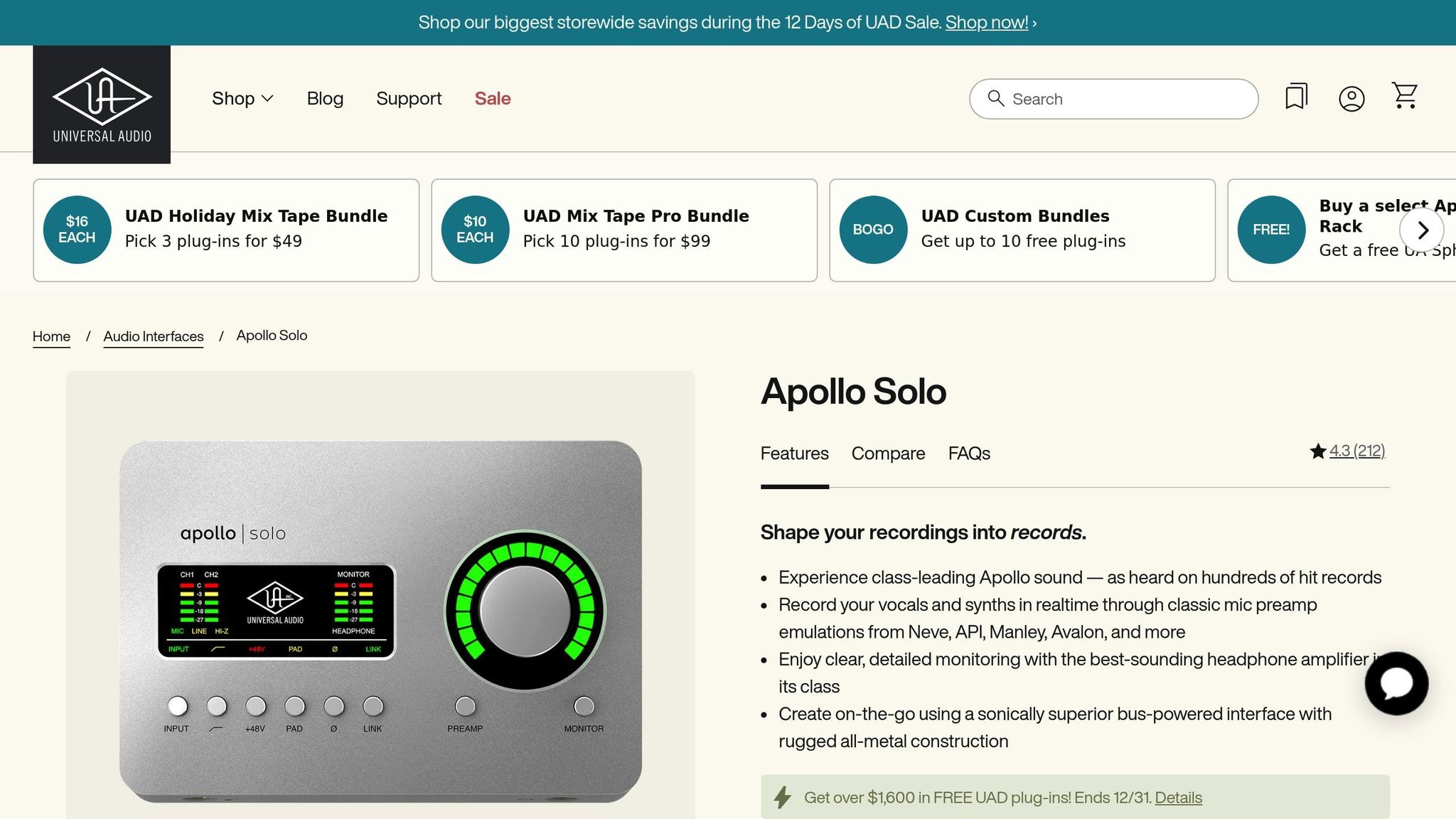
The Universal Audio Apollo Solo is a top-tier option for podcasters who demand outstanding audio quality. With an impressive 4.7/5.0 rating for podcasting and voice-over work [1], this sleek and compact interface brings the professional-grade components of Universal Audio’s larger systems into a portable design.
Built with advanced preamps and cutting-edge connectivity, the Apollo Solo is tailored for solo creators looking to elevate their audio production.
Number of Mic Inputs
The Apollo Solo is equipped with a single XLR input, making it an ideal choice for solo podcasters and voice-over professionals. Its streamlined design keeps things compact, but if you’re planning multi-host recordings or guest interviews, you’ll likely need an interface with more inputs.
Preamplifier Quality
Universal Audio is known for its top-notch preamps, and the Apollo Solo lives up to that reputation. It delivers crystal-clear, studio-quality sound, setting a high standard for portable audio interfaces.
Connectivity Options
Unlike many interfaces that use USB-C, the Apollo Solo features Thunderbolt 3 connectivity. This provides ultra-low latency and lightning-fast data transfer, ensuring smooth real-time monitoring. It pairs seamlessly with newer Mac and Windows systems equipped with Thunderbolt ports. However, if your computer only has USB-C or an older USB connection, you may need an adapter. Keep in mind, though, that the unit does not come with a Thunderbolt cable, so you’ll need to purchase one separately.
Onboard Mixing and Loopback Features
The Apollo Solo includes virtual channels for loopback, allowing you to route audio directly from apps like Zoom or Skype into your recording software. It also offers zero-latency monitoring and comes bundled with premium Universal Audio plug-ins, such as the Pultec EQ, Teletronix LA-2A compressor, and UA 610-B preamp, giving you powerful tools for audio processing right out of the box.
With a price range of $499–$699 USD [1], the Apollo Solo is on the pricier side of portable interfaces. However, its exceptional performance and features make it a worthy investment for creators who want professional-grade audio in a compact package.
sbb-itb-0e595bb
7. Audient iD4 MkII
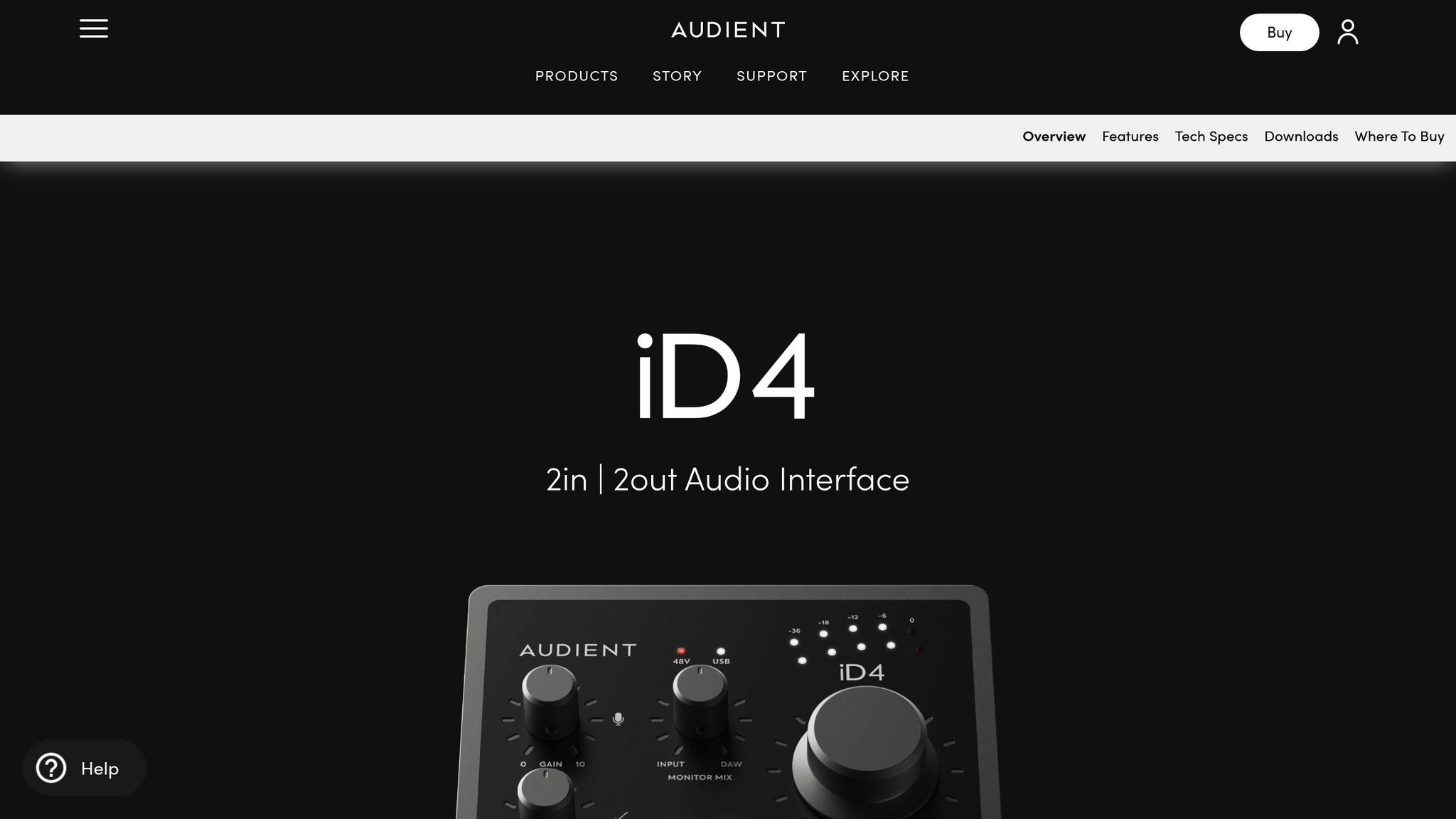
The Audient iD4 MkII is a fantastic choice for solo podcasters who want professional-level sound without breaking the bank. This compact desktop interface offers high-quality preamps at an affordable price, making it an excellent upgrade for those moving on from basic USB microphones.
In sound quality tests, the iD4 MkII performed impressively, ranking 3rd–4th in clarity alongside the SSL 2+ [1]. While it doesn’t quite reach the level of premium models like the Universal Audio Apollo Solo, it still delivers consistent, reliable audio performance.
Number of Mic Inputs
The iD4 MkII comes with a single XLR microphone input. This minimalist design keeps the device compact and budget-friendly while offering everything you need for high-quality solo recordings. However, if you’re planning to expand your setup for co-hosted episodes or guest interviews, you might need to explore interfaces with additional inputs.
Preamplifier Quality
One of the standout features of the iD4 MkII is its preamps, which are known for capturing vocals with exceptional clarity and warmth. Audient has built a solid reputation for its preamp technology, and the iD4 MkII lives up to that legacy, delivering studio-grade audio that brings out the best in your recordings.
Connectivity Options
The iD4 MkII connects via USB, ensuring a stable and straightforward setup for both Mac and PC users.
Onboard Mixing and Loopback Features
While the iD4 MkII shines in delivering high-quality audio capture, its loopback functionality is less detailed. Since many podcasters rely on loopback features for recording remote interviews or integrating system audio, it’s worth double-checking the current support for this capability.
8. SSL 2+
The SSL 2+ audio interface brings professional sound quality to your setup, featuring Solid State Logic’s signature "4K" EQ boost button. This button enhances audio with a touch of brightness and harmonic depth, all at a mid-range price point of $299–$329 USD.
Number of Mic Inputs
With two XLR/¼-inch combo mic inputs, the SSL 2+ is perfect for solo recordings, interviews, or even co-hosted podcasts. This dual-input setup gives you more flexibility compared to single-input options, making it easier to expand your recording capabilities without needing extra gear.
Preamplifier Quality
At the heart of the SSL 2+ are Solid State Logic’s highly regarded analog preamps. These preamps deliver clean, transparent sound that faithfully captures the nuances of your voice. Many audio professionals consider these preamps among the top performers in this price range, only slightly behind the Universal Audio Apollo Solo when it comes to pure clarity.
Connectivity Options
The SSL 2+ connects via USB 2.0 (Type-C) and includes MIDI I/O along with balanced outputs. This ensures it works seamlessly with both Windows and macOS systems, offering broad compatibility for various setups.
Onboard Mixing and Loopback Features
While it provides zero-latency direct monitoring, the SSL 2+ does not include built-in loopback functionality for capturing system audio. If you need this feature for tasks like remote interviews, you’ll need to rely on third-party software.
Up next, we’ll take a look at another audio interface that combines portability with impressive performance.
9. Behringer U-Phoria UMC22
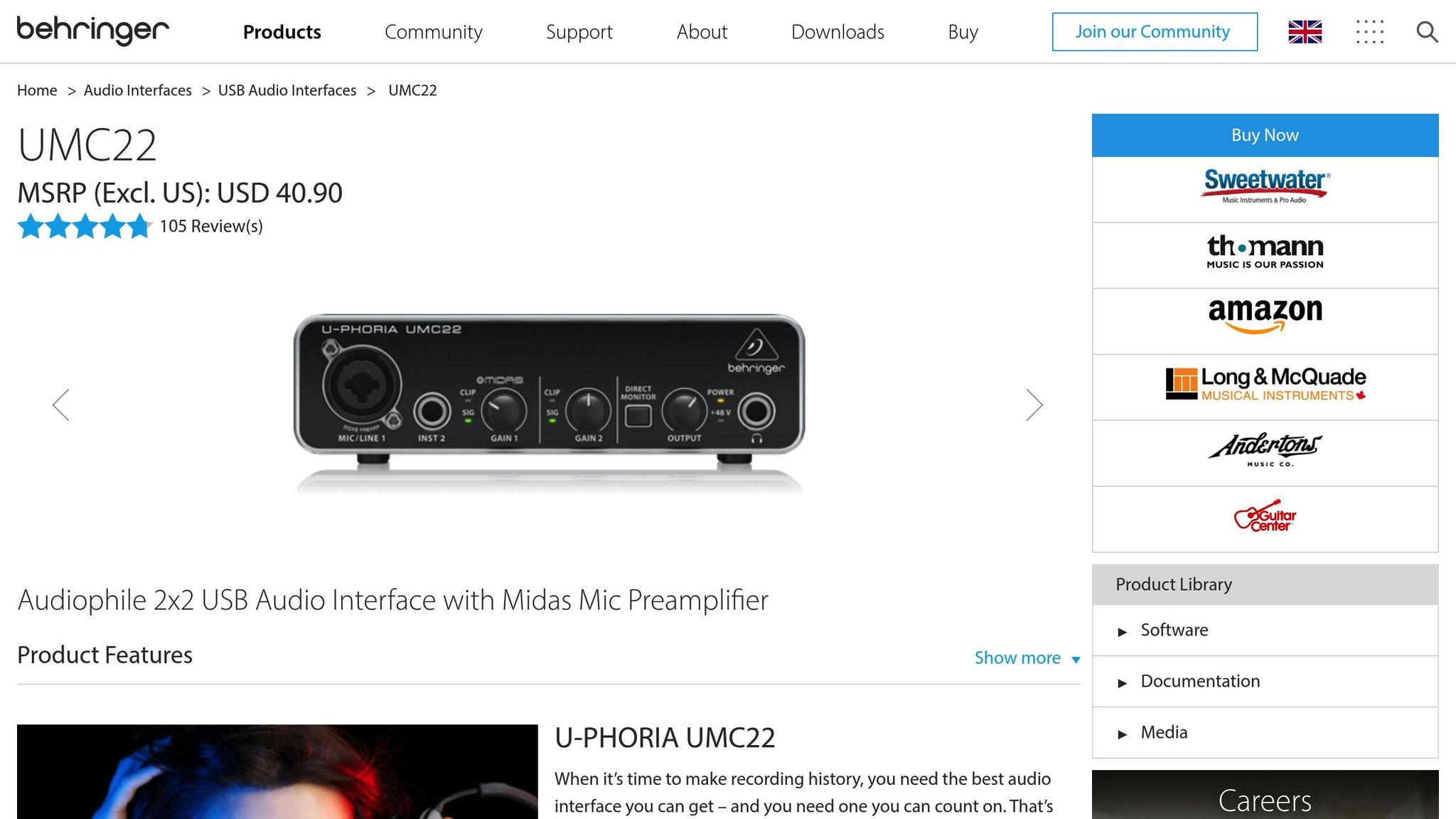
The Behringer U-Phoria UMC22 stands out as the most affordable audio interface on this list, typically priced between $45–$55 USD. While it offers decent audio performance for the price, its features cater to specific, simpler setups.
Number of Mic Inputs
This interface comes with one XLR microphone input and an additional 1/4" instrument input. Its single-mic design makes it a good choice for solo podcasters or those hosting remote guest calls. However, if you’re planning in-person interviews or multi-host recordings, you’ll likely outgrow this device quickly. Its input configuration firmly positions it as a tool for individual creators.
Preamplifier Quality
Despite its low cost, the UMC22 is equipped with a MIDAS preamp, which delivers clean and reliable audio for an entry-level interface. It provides enough gain to handle both dynamic and condenser microphones, keeping noise levels low. While it doesn’t match the clarity of higher-end models, the sound quality is more than sufficient for podcasting and other basic recording needs.
Connectivity Options
The UMC22 connects via USB 2.0, drawing power directly from your computer. This makes it portable and easy to set up. It’s compatible with both Windows and Mac systems, though Mac users benefit from true plug-and-play functionality, while Windows users need to install a driver. Thankfully, no major compatibility issues have been reported with current operating systems as of 2025.
That said, the interface is fairly basic in terms of advanced connectivity and mixing capabilities.
Onboard Mixing and Loopback Features
One of the trade-offs for the UMC22’s low price is the absence of onboard mixing and loopback features. This means users can’t directly record computer audio or mix multiple inputs without relying on external software or hardware. For podcasters who need to record remote interviews or integrate audio from their computer, additional tools like third-party software or external mixers will be necessary. This simplicity helps keep costs down but limits its functionality for more complex workflows.
The Behringer U-Phoria UMC22 is best suited for podcasters who value sound quality on a budget and are comfortable working around its limitations with software solutions. It’s a solid choice for solo creators looking for an entry-level interface.
10. Maonocaster E2
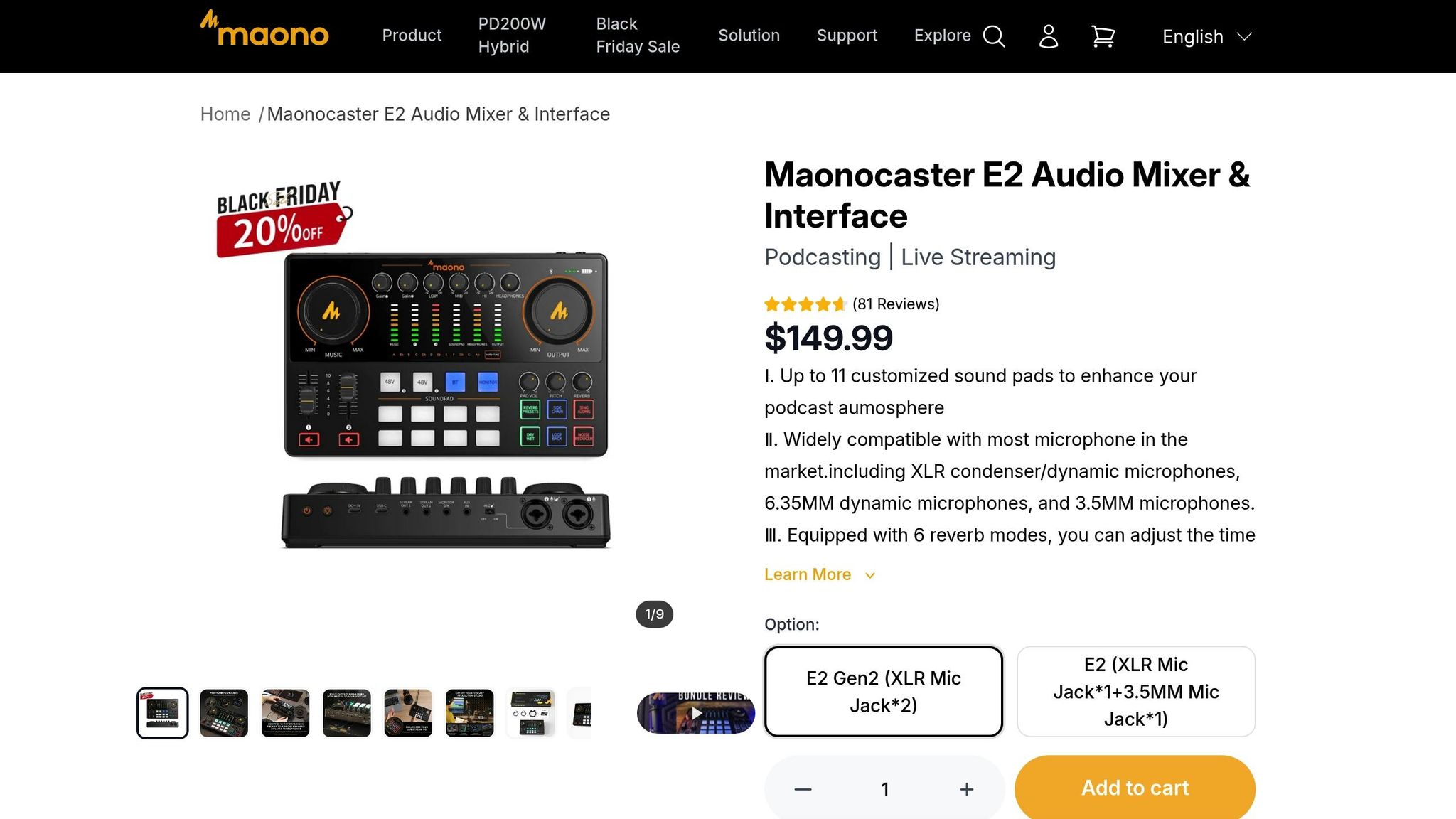
The Maonocaster E2 wraps up our list as a budget-friendly, all-in-one podcasting solution, generally priced between $150 and $200 USD. It combines essential recording tools with built-in mixing features, making it a solid choice for beginners looking for professional functionality at an affordable price.
Number of Mic Inputs
With two XLR microphone inputs, the E2 is designed for solo podcasters and small-scale setups, such as two-person interviews. This dual-input configuration covers the needs of most beginner podcasters.
Preamplifier Quality
The E2 is equipped with low-noise preamps that provide enough gain for both dynamic and condenser microphones. While it may not deliver the pristine clarity of higher-end models, it performs well for podcast production at this price point.
Connectivity Options
The Maonocaster E2 connects via USB-C, drawing power from your computer or a compatible power adapter. It works seamlessly with both Windows and Mac systems, offering plug-and-play compatibility with most modern operating systems. The USB-C connection ensures stable, low-latency monitoring and recording, making it reliable for podcasting tasks. Additionally, the interface stands out with its flexible mixing controls.
Onboard Mixing and Loopback Features
One of the E2’s strengths is its onboard mixing capabilities. It features adjustable volume controls for each input and built-in sound pads for triggering effects – features often reserved for pricier gear. It also includes full loopback functionality, which is ideal for recording computer audio, conducting remote interviews, or live streaming.
The Maonocaster E2 is highly recommended for beginners and those on a tight budget who want a versatile podcasting setup.
Comparison Chart
The table below provides a quick overview of the key specifications, pricing, advantages, and drawbacks of each audio interface.
| Product Name | Inputs | Connectivity | Price (USD) | Pros | Cons |
|---|---|---|---|---|---|
| Focusrite Vocaster Two | 2 XLR | USB-C | $279-$329 | Podcast-specific features, excellent preamps | Higher price point, podcast-focused |
| ZOOM PodTrak P8 | 6 XLR | USB, Bluetooth, TRRS | $550 | Multi-guest capability, sound pads, remote options | High price, limited format support |
| RØDECaster Pro 2 | 4 XLR | USB, Bluetooth | $699-$799 | Four guests, sound pads, quad-core processing | Expensive, no included accessories |
| PreSonus Revelator io24 | 2 XLR | USB-C | $199-$229 | Loopback functionality, streaming features, LCD controls | Poor sound quality in testing [1] |
| Focusrite Scarlett 4i4 | 2 XLR | USB-C | $259-$299 | Excellent preamps, loopback, low latency | No MIDI I/O |
| SSL 2+ | 1 XLR | USB-C | $229-$249 | "4K" EQ boost button, good sound [1] | Only one input, no MIDI I/O |
| Universal Audio Apollo Solo | 1 XLR | Thunderbolt/USB-C | $499-$699 | Unrivaled sound quality, zero-latency monitoring [1] | High price, lack of included cables [1] |
| Audient iD4 MkII | 1 XLR | USB-C | $129-$199 | Affordable, quality preamps [2] | Only one input |
| Behringer U-Phoria UMC22 | 1 XLR | USB | $49-$69 | Cheapest option, reliable for basics [2] | Limited features, basic sound quality |
| Maonocaster E2 | 2 XLR | USB-C | $150-$200 | Budget-friendly, onboard mixing, sound pads | Limited advanced features |
After diving into detailed reviews, here’s a breakdown of what stands out about these interfaces.
The Universal Audio Apollo Solo is a standout for studio-quality sound, earning a 4.7/5 rating. However, its premium price tag makes it a choice for those prioritizing top-tier audio [1]. Meanwhile, the Focusrite Scarlett 4i4 shines with a perfect 5.0/5 rating, particularly for podcasting, thanks to its excellent preamps and loopback functionality [1].
For those on a tighter budget, the Behringer U-Phoria UMC22 is a dependable pick for $49-$69, offering basic recording capabilities. If you’re willing to spend a bit more, the Audient iD4 MkII stands out at $129-$199 with superior preamp quality [2].
When it comes to multi-guest setups, the ZOOM PodTrak P8 (six XLR inputs) and RØDECaster Pro 2 (four XLR inputs) provide excellent options, though they come with higher price tags.
Finally, the SSL 2+ brings something unique to the table with its "4K" EQ boost feature in the $229-$249 range [1], while the Universal Audio Apollo Solo offers Thunderbolt connectivity, a favorite among Mac users for its seamless performance [1][2].
Expert Advice and Recommendations
For podcasters aiming for top-notch production quality, choosing the right audio interface can make or break your podcast’s sound. The difference between a wise investment and a costly misstep often lies in having access to expert insights when you need them most. While our in-depth reviews provide valuable guidance, industry experts help simplify the process even further. Research shows that expert-curated recommendations often lead to higher satisfaction and fewer regrets. Popular interfaces like the Focusrite Scarlett 4i4 and Universal Audio Apollo Solo consistently earn high marks for their reliability and sound quality, as noted in user surveys[1].
The real struggle for most podcasters isn’t a lack of options – it’s sifting through endless reviews, specs, and marketing hype to find what truly delivers. That’s where curated resources like Sounds Debatable come in handy. As they aptly put it:
"Skip the search, here’s the best."
Instead of spending weeks researching every audio interface on the market, podcasters can rely on expert-vetted recommendations that have already been tested and proven.
For instance, professional testing highlights that the PreSonus Revelator io24 offers user-friendly controls and streaming features tailored for podcasters. However, its sound quality falls short compared to some competitors[1]. Without these expert evaluations, many podcasters might overlook such critical performance differences and rely solely on flashy marketing. This kind of clarity ensures that you’re making informed decisions based on real-world performance rather than just technical promises.
Working with experts also adds a layer of personalized guidance, helping you find the perfect match based on your goals, technical needs, and budget. This hands-on approach is especially valuable for creators with specific production requirements or those looking to streamline their workflow from the start.
For podcasters who want to get it right the first time, expert advice is worth the investment. It helps you avoid unpleasant surprises – like discovering the Universal Audio Apollo Solo doesn’t come with cables included[1]. By identifying potential limitations upfront, experts save you time, money, and frustration.
The value of expert testing becomes even more apparent when comparing real-world performance to manufacturer specs. The Focusrite Scarlett 4i4, for example, earned a perfect 5.0/5 rating not just for its technical features but for its exceptional preamps and loopback capabilities in actual podcast production. Similarly, the Universal Audio Apollo Solo scored 4.7/5 thanks to its superior analog-to-digital converters, which noticeably enhance podcast audio quality[1].
When weighing your options, consider turning to platforms that have already done the hard work of testing, comparing, and curating the top choices. With expert-backed recommendations, you can turn an overwhelming decision into a confident and informed choice that lasts.
Conclusion
Selecting the right audio interface in 2025 can transform your podcast from amateur to professional quality. The difference between a smooth workflow and constant frustration often lies in making informed decisions rather than relying solely on specs or marketing hype.
Based on our tests, the Focusrite Scarlett 4i4 stands out with its top-tier preamps, earning a perfect 5.0/5 rating. For podcasters on the go, the Universal Audio Apollo Solo offers impressive portable performance with a 4.7/5 rating. If you’re working with a tighter budget, the Behringer U-Phoria UMC22 provides reliable recording quality without breaking the bank [2].
These findings emphasize the importance of matching your audio interface to your specific podcasting needs. Avoid common mistakes like choosing interfaces with too few inputs, subpar preamps, or missing loopback functionality – issues that can disrupt your production workflow. For instance, while the PreSonus Revelator io24 offers user-friendly features, it received a lower 3.0/5 rating due to sound quality concerns [1]. That said, price alone doesn’t equate to value. The Focusrite Scarlett 4i4 delivers excellent preamps at a slightly higher cost than entry-level models, making it a smart investment for podcasters aiming to grow their setup [1][2].
Instead of spending hours researching, turn to expert-curated resources like Sounds Debatable. These platforms offer tested recommendations, real-world examples, and professional insights to help you avoid unnecessary trial and error, saving both time and money.
For podcasters seeking professional results, expert advice provides clarity and confidence. Whether you’re starting your first episode or upgrading your gear, choosing the right audio interface now lays the groundwork for your podcast’s success in 2025.
FAQs
What should I look for when choosing an audio interface for podcasting in 2025?
When choosing an audio interface for podcasting in 2025, there are several key factors to keep in mind to ensure a smooth and professional recording experience. Audio quality should be at the top of your list – look for interfaces that offer a high bit depth (24-bit or more) and sample rates of at least 48 kHz. These specifications will help deliver clear, professional-grade sound for your podcast.
Connectivity is another critical aspect. Make sure the interface is compatible with your computer – USB-C is a popular option – and check that it has enough inputs and outputs for your specific setup. For instance, if you’re a solo podcaster, a single mic input might be all you need. On the other hand, multi-host podcasts or shows with guest speakers will likely require multiple XLR inputs to accommodate additional microphones.
Other useful features to consider include built-in preamps for boosting microphone signals, phantom power for condenser microphones, and low-latency monitoring, which allows you to hear yourself in real-time without delay. If portability is a priority, look for compact, sturdy designs that can handle life on the go.
Lastly, think about your budget. There are excellent options available across a range of price points, so you can find a balance between quality and functionality that fits your needs.
What is loopback functionality, and why is it useful for podcasting?
Loopback functionality lets you merge audio from different sources – like your microphone, system audio, or other inputs – into a single output. This feature is a game-changer for podcasters, especially when conducting remote interviews, adding sound effects, or incorporating live audio from apps or websites into their recordings. It streamlines the process of managing multiple audio streams, eliminating the need for extra software or complicated setups.
Some popular audio interfaces with loopback functionality include the Focusrite Scarlett 4i4, Audient Evo 8, and Rode Rodecaster Pro II. These devices are tailored for podcasters, offering an easy way to produce high-quality recordings without unnecessary complications.
Can I find affordable audio interfaces that deliver professional-quality sound for podcasting?
If you’re diving into podcasting, you’ll be glad to know that plenty of budget-friendly audio interfaces deliver impressive sound quality. These devices often come with essential features like clean preamps, minimal latency, and straightforward connectivity – giving you great audio without emptying your wallet.
Brands such as Focusrite, PreSonus, and Behringer offer affordable models that work well for both beginners and experienced podcasters. With a little research, you can easily find an interface that suits your needs while staying within your budget.