
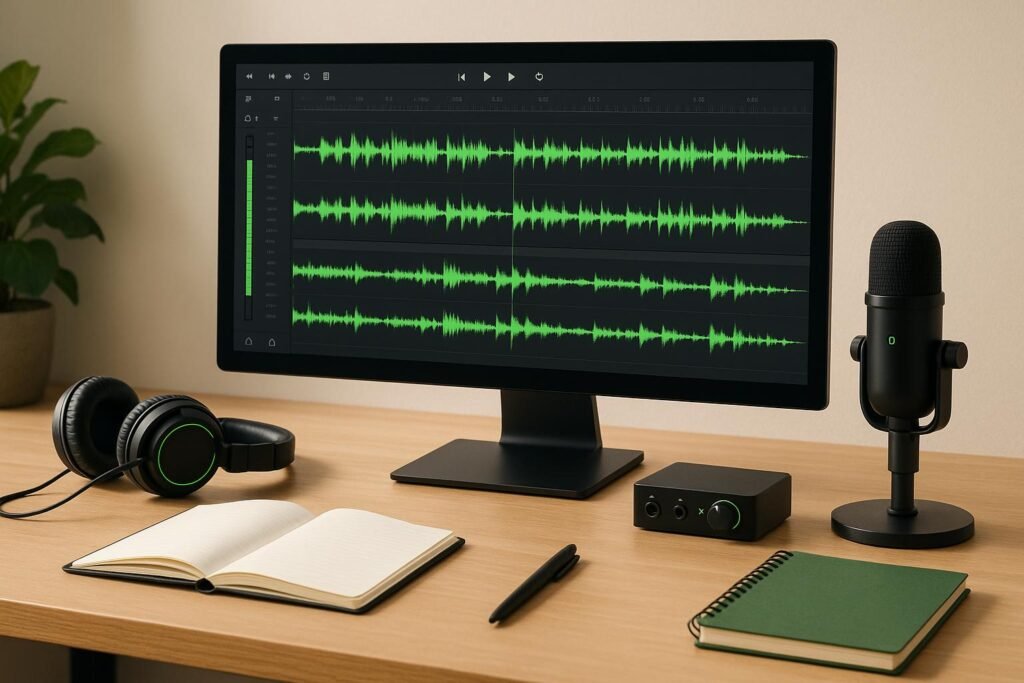
Post-production can make or break your podcast. Without the right system, you risk wasting time, producing inconsistent audio, and losing focus on what matters: creating great episodes. Here’s a quick guide to help you work smarter, not harder:
- Podcast Editing Post-Production Workflow (AKA The Things A Podcast Editor Does Beyond Removing Umms)
- 1. Create a Standard Post-Production Checklist
- 2. Build Reusable Editing Templates
- 3. Set Up a File Naming and Organization System
- 4. Record on Multiple Tracks for Individual Speaker Control
- 5. Group Similar Tasks Together
- sbb-itb-0e595bb
- 6. Automate Repetitive Tasks
- 7. Do a Complete Final Review
- 8. Build a Style Guide with Audio Presets
- 9. Plan and Outline Episodes Before Recording
- 10. Mix and Master for Professional Audio Quality
- Conclusion
- FAQs
- How can I create and stick to a post-production checklist to ensure consistent podcast quality?
- What are the advantages of using multitrack recording in podcast production, and how does it streamline editing?
- What are the best ways to use automation tools in podcast post-production to save time while maintaining audio quality?
- Related Blog Posts
- Use a Checklist: Standardize your workflow to ensure quality and consistency.
- Create Templates: Save time with reusable setups for editing and mixing.
- Organize Files: Implement clear naming conventions and folder structures.
- Record on Separate Tracks: Gain control by isolating each speaker’s audio.
- Batch Tasks: Group similar steps (like editing or mixing) to stay efficient.
- Automate Repetitive Steps: Leverage tools for noise reduction, EQ, and transcription.
- Final Review: Listen carefully to catch errors before publishing.
- Define a Style Guide: Set audio standards with presets for EQ, compression, and more.
- Plan Episodes: Outline content to reduce editing time later.
- Mix and Master: Polish your audio for professional-quality sound.
These tips can save time, simplify workflows, and help you deliver consistent, polished episodes that resonate with listeners. Start small – pick one or two strategies – and expand as you go.
Podcast Editing Post-Production Workflow (AKA The Things A Podcast Editor Does Beyond Removing Umms)
1. Create a Standard Post-Production Checklist
A post-production checklist acts as your editing game plan, ensuring nothing slips through the cracks and maintaining consistent quality across every project. Without one, you’re left relying on memory – which, let’s face it, is risky when juggling tasks like noise reduction or level balancing under tight deadlines.
The real power of a checklist is in its ability to standardize your workflow. By documenting every step, you create a repeatable process that delivers reliable results every time. This is especially important when multiple team members are involved, as it keeps everyone on the same page.
Organize tasks in the order they need to happen. Start with verifying available media, then move on to editing (removing noise and filler words), mixing (balancing levels, applying EQ and compression), adding sound design elements, and finally mastering and conducting a thorough review. This step-by-step structure ensures you stay on track and produce polished episodes consistently [5].
Be specific about quality standards. Instead of vague instructions like "adjust audio levels", include measurable targets – for example, keeping voice levels between -18dB and -12dB – and note the exact settings to use [1].
Don’t skip quality control. Take time for a full review to catch any issues you might have missed. Check that audio levels are even, background noise is minimized without affecting the main content, transitions are smooth, and there’s no distortion or clipping in the final mix [3]. Attention to these details makes all the difference.
Break the process into clear, actionable steps with deadlines. Whether you prefer digital tools like spreadsheets and project management software or a simple paper checklist, make sure it’s easy to mark off tasks and track progress.
Finally, treat your checklist as a living document. Regularly update it based on team feedback and any recurring challenges. A well-maintained checklist not only improves your current workflow but also serves as a fantastic training tool for onboarding new editors. It explains not just what to do but why each step matters, keeping your process efficient and effective as your team evolves.
2. Build Reusable Editing Templates
Setting up your editing software from scratch for every episode wastes time and energy. With reusable editing templates, you can skip the repetitive setup and dive straight into editing. Instead of spending 30–60 minutes configuring tracks and settings, a template provides a ready-to-go starting point.
Beyond saving time, templates help standardize your production process. When every episode begins with the same setup – like consistent EQ curves, compression ratios, and limiting thresholds – your podcast maintains a uniform sound. This consistency reinforces your brand and ensures a distraction-free listening experience.
To create your template, start by completing an episode using your typical workflow. Note down the audio settings you use regularly and save the project – minus the episode-specific content – as your template.
Your template should include:
- Preset audio tracks: Organize tracks by speaker or content type.
- Standard audio settings: Include EQ and compression tailored to your podcast’s sound.
- Intro and outro music: Pre-configure fade-in and fade-out settings.
- Placeholders: Add sections for transitions and sound effects.
- Balanced levels: Set consistent levels for voice, music, and effects.
- Mastering chain: Add compression, limiting to avoid clipping, and any stereo widening techniques.
Templates aren’t just for solo use – they’re also a game-changer for team collaboration. If you’re bringing in new team members or freelance editors, a standardized template ensures they follow your preferred process without guesswork. This minimizes confusion, reduces back-and-forth revisions, and speeds up onboarding.
You can also create multiple templates for different episode formats. For example:
- Interview episodes: Separate tracks for the host and guest, each with EQ settings optimized for their voices.
- Solo episodes: Fewer tracks, with more focus on music and sound effects.
- Remote interviews: Templates tailored for noise reduction or other specific needs.
This flexibility makes your workflow even smoother, no matter the episode type.
Once your template is ready, test it on a new episode to ensure it works as intended. Refine it based on your experience, document its purpose and use cases, and include any special instructions. Set a schedule to review and update your template periodically to match your evolving production needs.
The benefits add up quickly. Depending on how often you publish, templates can save you dozens of hours each year. More importantly, they let you focus on the creative side of editing instead of getting bogged down in repetitive technical tasks. With less time spent on setup, you’ll have more energy to make your podcast truly stand out.
3. Set Up a File Naming and Organization System
Disorganized files can derail your workflow faster than you think. If you’re digging through folders labeled "Podcast_Final" or "Audio1", you’re wasting valuable time that could be spent editing. A clear file naming and organization system helps you avoid confusion, saves time, and keeps version control issues in check.
The key to staying organized starts with consistent naming conventions. For example, a file name like "EP001_2025-12-01_HostName_RawAudio.wav" or "EP001_GuestInterview_Take2_Final.mp3" instantly tells you the episode number, recording date, speaker, and file type. Using the YYYY-MM-DD date format ensures your files are sorted chronologically, making it easy to track when recordings were made.
Always include details like the speaker’s name or role – whether it’s "Host", "Guest", "Music", or "SFX" – so you can identify files at a glance. Also, specify whether the file is a raw recording, an edited version, or the final master. This level of detail is especially helpful when managing multiple takes or working with a team, as it eliminates guesswork when locating the right files.
Folder hierarchies should reflect your production process. Start with a main podcast folder, then create subfolders for each episode. Within each episode folder, organize further into categories like Raw, Edited, and Final Deliverables. For example:
- Main Podcast Folder
- Episode 001
- Raw
- Edited
- Final
- Episode 001
This structure allows quick access to the files you need without wading through unrelated content. You can also organize episodes by season or chronologically, ensuring your system scales easily as your podcast grows.
Version control is another must. Add version numbers to your file names, such as "EP001_Mix_v1.wav", "EP001_Mix_v2.wav", or "EP001_Mix_Final_2025-12-01.wav." Instead of deleting older versions, move them to an archive folder. This is especially useful during mixing and mastering, where multiple iterations are often created before the final version is ready. Clear versioning helps collaborators or mastering engineers immediately identify the most current file.
Go a step further by tagging your audio files with metadata. Include details like episode number, guest names, recording dates, and production stages. Many editing software platforms let you add custom metadata fields, where you can include guest contact info, interview topics, or notes about the recording. Metadata is invaluable when repurposing content for social media, finding specific segments, or locating a guest’s interview across multiple episodes.
To maintain consistency, document your system in a style guide or standard operating procedure. Include examples of properly named files and organized folders, along with instructions for exporting files from your editing software while keeping the naming conventions intact. This documentation ensures that new team members can easily follow your workflow without extensive onboarding.
Avoid common pitfalls like inconsistent naming conventions, dumping all files into a single folder, mixing raw and edited files, or neglecting backups. Establish your system before you even record your first episode, and stick to it. Keep different file types – audio, video, graphics, documents – in separate folders to avoid clutter.
Finally, your backup system should mirror your primary organization. Create an identical folder structure on external drives or cloud storage, using clear names like "Backup_2025-12-01_Episodes001-010.zip." Once episodes are published, archive them in a separate, well-organized location while maintaining the same folder structure for consistency.
Investing time upfront to set up a structured system pays off immediately. Instead of wasting 10–15 minutes per episode hunting for files, you’ll find everything in seconds. When juggling multiple episodes or working with collaborators, a solid organization system keeps your production running smoothly and frustration-free.
4. Record on Multiple Tracks for Individual Speaker Control
Recording each speaker on their own audio track can make a world of difference in your editing process. Instead of lumping all voices onto a single track, multitrack recording gives you the flexibility to tweak each speaker’s audio separately. This means you can adjust volumes, clean up background noise, and fix mistakes without affecting the rest of the recording[2].
With this setup, your host, co-host, and guests each have their own dedicated track. For instance, if one speaker’s audio is too quiet or has distracting noise in the background, you can fix it on their track alone. This separation also makes it easier to manage overlapping dialogue and fine-tune the overall sound. To fully take advantage of this, you’ll need the right technical setup.
Start by using recording software and hardware that supports multitrack recording. A digital audio workstation (DAW) like Adobe Audition or Audacity works well for this purpose. Make sure each speaker has their own microphone and that your audio interface has enough inputs to handle them. If you’re recording remotely, platforms like Riverside.fm and Zencastr automatically create separate tracks for each participant. To stay organized, label tracks clearly (e.g., "Host" or "Guest – Sarah Johnson") and set up templates in your DAW for a consistent workflow. During recording, monitor audio levels in real time – aim to keep levels in the green, with occasional peaks in yellow, and avoid red to prevent distortion. Also, ensure everyone maintains proper mic technique by keeping a consistent distance from the microphone. A quick test recording before starting can help catch any issues early.
The benefits of multitrack recording go beyond basic editing. You can apply effects to individual tracks, like adding compression to smooth out a guest’s voice or using EQ to enhance clarity. You can even tweak stereo imaging for a more dynamic mix. This level of control helps you achieve a polished, professional sound where every voice fits seamlessly into the final product[1].
Switching to multitrack recording doesn’t mean overhauling everything at once. For your next episode, consider investing in a simple audio interface or trying remote recording software that supports multitrack capture. Once you make the switch, you’ll notice how much easier editing, mixing, and mastering become. By reducing post-production headaches, you’ll have more time to focus on creative aspects like sound design, all while improving the quality and consistency of your episodes.
5. Group Similar Tasks Together
Switching between different post-production tasks can slow you down. For example, editing one episode, mixing another, and then returning to edit a third forces your brain to constantly adjust, making it harder to stay efficient and consistent across episodes. This constant context-switching disrupts your workflow and drains focus.
Grouping similar tasks into dedicated work sessions – known as task batching – can help. Instead of completing all the post-production steps for one episode before moving to the next, you focus on one type of task across multiple episodes. For instance, edit all your episodes in one session, mix them in another, and master them together. This approach keeps your mind in the same mode, allowing you to build momentum and work faster without sacrificing quality. It also ties in well with strategies like organizing files and using templates.
Key post-production tasks that benefit from batching include editing (removing unnecessary content, background noise, and filler words), mixing (balancing audio levels, applying EQ, and compression), sound design (adding music, sound effects, and transitions), and mastering (final compression and limiting to prevent clipping) [1]. By breaking these into distinct phases, you can focus on perfecting one step at a time.
For example, if you dedicate one session to editing out background noise across five episodes, you’ll get faster at spotting and removing noise because you’re not constantly shifting gears [1]. Similarly, when mixing, you can balance levels and apply EQ settings across multiple episodes back-to-back, building muscle memory with your tools and ensuring consistent results.
Task batching also makes the most of templates and presets, cutting down on repetitive adjustments [2]. Repeating similar actions in a focused session turns shortcuts into second nature, speeding up your workflow even more.
To integrate task batching into your routine, organize your schedule into distinct phases. Set aside separate sessions for editing, mixing, sound design, and mastering. This structure not only keeps you focused but also provides natural stopping points, helping you avoid overworking a single task.
If you’re using multitrack recordings (as discussed in Tip 4), batching becomes even more effective. For instance, you can edit all speaker tracks together – removing noise and filler words from each track without impacting others. Later, during the mixing phase, you can adjust all speaker levels and apply consistent EQ settings across voices [2]. This eliminates the need to jump between different audio sources, allowing you to process similar elements efficiently in one go.
sbb-itb-0e595bb
6. Automate Repetitive Tasks
Podcast post-production is filled with repetitive tasks – things like cleaning up background noise, balancing audio levels, applying EQ, and adding compression. These steps can eat up a lot of time, but automation tools can take over these routine jobs, giving you more time to focus on the creative side of podcasting.
Modern editing software often includes plugins that handle these tasks for you. For example, you can set up your software to automatically reduce noise, normalize volume, apply your custom EQ settings, and add compression in one seamless process. This kind of automated workflow lays the groundwork for a smoother editing experience and quicker turnaround times [2].
Automation doesn’t stop at audio processing. Transcription tools have also come a long way. What used to take hours of manual effort – or required pricey services – can now be done in minutes. These tools generate accurate transcripts that can be repurposed into show notes, blog posts, social media content, and more, all from a single recording [2].
You can also automate other aspects of production, like creating reusable templates for intro and outro sequences, transitions, music, and effects. Learning the shortcuts and templates in your editing software can save you a lot of time by cutting down on repetitive tasks [2].
That said, automation works best when calibrated carefully. For example, compression can smooth out volume inconsistencies, but overdoing it can make your audio feel flat. Similarly, EQ can enhance tonal balance, but too much can make voices sound unnatural [4]. Automation is a starting point – it gets you most of the way there, but always review and refine manually to maintain the unique character and quality of your podcast.
If you’re recording on multiple tracks (as mentioned in Tip 4), automation becomes even more useful. Processing each speaker’s track individually lets you clean up noise or adjust levels without affecting other tracks, ensuring a polished final mix [2].
The best way to get started with automation is to take it step by step. Begin by automating a couple of time-consuming tasks, like noise reduction or volume leveling. Test these settings on a few episodes to make sure they work as intended before rolling them out more broadly. This gradual approach helps you avoid disruptions while improving your workflow.
For instance, if automation saves you just two hours per episode and you release weekly, that’s an extra eight hours each month you can spend on planning, engaging with your audience, or refining your content. Small changes can lead to big results in the long run.
7. Do a Complete Final Review
Once you’ve automated processes and polished your audio, don’t skip the final review. This step is critical – it’s your last opportunity to catch any errors, inconsistencies, or technical hiccups that could disappoint your audience and tarnish your podcast’s reputation [3].
The final review is all about quality control. Listen to the entire episode from beginning to end, focusing on the overall flow rather than just isolated segments [3]. Pay close attention to transitions between sections and ensure they are smooth. Balanced audio is key – voices, music, and sound effects should feel cohesive and not compete for attention. Sudden volume shifts or awkward transitions can disrupt the listener’s experience [6].
Double-check your compression and EQ settings. Compression should even out volume differences without making the audio sound unnatural or overly flat [4]. Similarly, EQ adjustments should enhance the tonal balance while maintaining a natural sound.
Test the audio on multiple devices, such as studio headphones, earbuds, car speakers, and even phone speakers. Playback quality can vary significantly depending on the device, and what sounds flawless on professional equipment might reveal issues on more common setups [1].
To stay organized, create a final review checklist. Include key tasks like verifying audio levels, checking for any lingering background noise or artifacts, ensuring smooth transitions, and confirming the episode aligns with your podcast’s branding and style guidelines [1]. Note any timestamps where fixes are needed, and address these issues before exporting the final file [3].
Consider bringing in an extra set of ears for a fresh perspective. After spending hours editing, it’s easy to miss subtle problems that someone new to the audio might catch [1].
Set aside enough time for this process, and if you find issues, focus on making targeted fixes instead of re-editing the entire episode [3]. This methodical approach ensures you tie together all your hard work from earlier production stages into a polished final product.
A thorough final review is what protects the quality of your podcast. By catching and addressing any last-minute flaws, you ensure your audience gets a seamless, professional listening experience they’ll appreciate.
8. Build a Style Guide with Audio Presets
Creating a style guide for your podcast’s audio is a game-changer. It establishes a consistent sound across episodes and simplifies the editing process, giving your show a polished, professional vibe. This guide ensures every episode reflects your podcast’s unique audio identity while maintaining high production quality. By defining standardized editing techniques, effects, and treatments, you streamline your workflow and keep your brand’s message front and center.
At the heart of your style guide are audio presets for key elements like EQ, compression, reverb, and limiting. These presets shape your podcast’s sonic character. For instance, EQ presets help enhance or reduce specific frequencies for clear, balanced vocals, while compression ensures consistent volume levels without flattening the audio. You can also include presets for intro and outro music, transitions, and normalizing guest audio. These tools create a cohesive sound across all episodes, regardless of format.
That said, it’s important to use these tools wisely. Overdoing EQ can make voices sound unnatural, and too much compression can strip away dynamic range. The secret lies in striking the right balance to achieve clarity and depth without sacrificing authenticity.
To stay organized, save your presets in your DAW (Digital Audio Workstation) under clearly labeled folders like "Voice Processing", "Music/Effects", and "Mastering." Use descriptive names for each preset, such as Host_Vocal_EQ or Transition_Crossfade_2sec, so editors can quickly find what they need. If you’re working with a team, store these presets in a shared location and document their purpose and settings in your style guide. This ensures everyone is on the same page, even when multiple editors are involved.
Your guide should also include specific loudness standards for different audio elements. For example, dialogue might target -16 LUFS, while music could aim for -14 LUFS. Document acceptable peak ranges (like -3dB to 0dB) to avoid clipping, and define the balance between elements – for instance, host dialogue at 100%, guest dialogue at 95%, background music at 60%, and sound effects at 70%[1]. Including guidance on limiting helps maintain consistent levels across devices, offering listeners a smooth experience.
Sound design is another key area to cover. Specify details like the exact music or effects for intros and outros, their duration, and how their volume should blend with dialogue. Define transitions, such as crossfades, to ensure episodes feel seamless and engaging. These details not only enhance the listening experience but also speed up editing.
Using audio presets can significantly cut down post-production time. Instead of manually adjusting EQ, compression, and reverb for each vocal track, an editor can simply load a preset like Host_Vocal and get instant results. This is especially helpful when working on episodes with multiple speakers or guest interviews. By grouping similar tasks and relying on presets, you can shave 30–40% off your editing time while maintaining top-notch quality[2].
Don’t forget to create variations of your presets for different recording scenarios. For example, you might need separate settings for recordings done in a home studio versus a professional setup or for guest audio captured over phone calls. For video call interviews, include presets with stronger noise reduction and EQ adjustments to handle lower-quality audio. Make sure to provide clear instructions on when to use each preset based on the recording environment.
A well-crafted style guide with audio presets is an invaluable resource for your team. It ensures consistency across episodes, minimizes confusion, and reduces the need for time-consuming revisions. Plus, it makes onboarding new editors much easier – they can follow the guide instead of learning through trial and error. Keep a master copy of your guide, update it regularly, and share changes with your team to maintain a professional and evolving podcast identity. By integrating these standards into your workflow, you’ll save time and ensure every episode meets the same high-quality standards.
9. Plan and Outline Episodes Before Recording
Organizing your episodes before hitting record can save you a lot of time during editing and ensure a polished final product. Walking into a recording session without a plan often leads to scattered content that requires extensive rearranging and trimming later. A clear pre-recording roadmap not only simplifies post-production but also helps maintain a consistent flow throughout the episode.
Start by drafting a concise outline that maps out the episode’s structure. Include key talking points, transitions, where music or sound effects will go, and approximate segment timings. This outline acts as a guide for both you and your editor, cutting down on decision-making during editing and ensuring the pacing stays on track.
If you’re recording with a guest, extend the outline to include prepared interview questions and defined segment boundaries. Sharing this structure with your guest beforehand helps them stay on topic and maintain steady audio levels, making the editing process smoother.
Planning also ensures clarity and coherence from the outset. When you know exactly what you want to cover in each segment, you’re less likely to ramble or repeat yourself. This allows your editor to focus on refining the audio rather than fixing structural issues.
Technical preparation is just as important. Decide on your recording location, microphone setup, and equipment ahead of time. Consistent recording conditions reduce the need for heavy adjustments during mixing, saving you from tedious audio corrections later. For tricky segments or topics, consider recording multiple takes. It’s far easier to select the best version during editing than to salvage a subpar take with excessive processing.
To streamline the process further, incorporate templates and documentation into your planning. Tailor show note templates to match your episode outline, making content organization during editing more straightforward. These templates can also work with automated transcription tools, allowing you to quickly repurpose content for show notes, social media posts, or blog articles.
Be sure to include essential details in your planning documentation, such as time codes for segment breaks, notes on sections suited for social media snippets, and a clear guide for music and sound effects placement. Documenting your recording setup and microphone techniques also provides helpful references for your editor, reducing back-and-forth communication and cutting down on delays.
While planning is crucial, leave room for natural conversation. Your outline should be detailed enough to guide the episode but flexible enough to allow for spontaneity. This balance helps avoid awkward pauses or forced transitions, preserving the authentic and conversational tone that listeners enjoy.
Lastly, clear pre-production planning can maximize the efficiency of automated editing tools. A well-structured episode with consistent audio settings allows automation tools to handle tasks like noise reduction and applying presets more effectively, saving you even more time in post-production.
10. Mix and Master for Professional Audio Quality
Mixing and mastering are the final steps in post-production that can take your podcast from good to great. These processes ensure your audio sounds polished, balanced, and ready for any playback device.
When mixing, focus on balancing the levels of each track. Your host’s voice, guest audio, background music, and sound effects should complement each other without competing. Use EQ to clean up muddy frequencies and bring out the clarity in voices. Compression is your friend here – use it to even out dynamics and add presence, but don’t go overboard or you risk making the sound feel flat.
Panning can also add depth to your mix. While dialogue is typically kept centered for clarity, placing other elements like music or effects across the stereo field creates a more immersive experience. Working with separate tracks for each element gives you greater control over volume and processing, allowing you to fine-tune every detail.
The key is moderation. Over-processing can strip your audio of its natural feel. Subtle EQ adjustments and careful compression can enhance the tone without making voices sound unnatural. Always listen critically to your mix to ensure it feels balanced and professional.
Once your mix is complete, it’s time to master. This step prepares your audio for consistent playback across different devices. Apply gentle compression to smooth out the overall sound, use a limiter to avoid clipping, and consider minimal stereo widening to add depth without causing phase issues. After mastering, listen through the entire episode to ensure smooth transitions and consistent quality. This final pass is crucial for catching any lingering issues before you hit publish.
Your mixing and mastering choices should align with your podcast’s branding and tone. Elements like intros, outros, and transitions added during mixing can help establish a cohesive identity for your show. Consistency in processing across episodes creates a signature sound that makes your podcast instantly recognizable to listeners.
Tools like Audacity, Adobe Audition, and Hindenburg Pro come equipped with features and plugins for mixing and mastering. These tools allow you to experiment with effects like equalization, compression, and reverb to find what works best for your style. Take the time to explore these options – tailoring your sound to your audience’s preferences can make all the difference in leaving a lasting impression.
Conclusion
Streamlining your post-production workflow is all about saving time without compromising on quality. Editing a 30-minute podcast episode can take anywhere from 3 to 5 hours when done manually. However, by applying the strategies shared in this guide, you can cut that time by 40–60% while also delivering a polished final product[1].
Using standardized checklists, reusable templates, and an organized file system reduces repetitive decision-making and guesswork. Automation tools and multitrack recording free up your energy, allowing you to focus on the creative aspects of production[2].
A well-structured workflow also eliminates the frustration of searching for misplaced files, letting you dedicate more time to perfecting your sound. With less manual editing, your final review becomes more precise, ensuring your podcast maintains a consistent, professional tone that builds trust with your listeners.
The benefits go beyond individual episodes. Clear processes improve team collaboration and minimize the need for rework, boosting overall productivity[1].
Start small – choose one or two workflow improvements from this guide and implement them. Once those become second nature, add more optimizations. Actively listen to your episodes for areas that could use refining and seek feedback from test audiences to fine-tune your approach[1].
For those looking to take their production to the next level, expert guidance can be a game-changer. Sounds Debatable offers tailored resources and consulting services to help podcasters optimize their workflows. Their team has worked with brands like Indeed, the creators of Braingames and Who Smarted, and Ligue 1 to simplify and enhance production processes. Starting at $149 for a 30-minute consultation, they provide personalized advice on everything from equipment choices to advanced editing techniques.
FAQs
How can I create and stick to a post-production checklist to ensure consistent podcast quality?
Creating a post-production checklist is a smart way to ensure your podcast episodes maintain consistent quality. Start by mapping out every step of your workflow – from importing audio files to exporting the final episode. Break these steps into smaller tasks, such as reducing background noise, adjusting equalization, and leveling the volume. This approach helps you avoid skipping any important details.
To make your checklist effective, keep it accessible and easy to use. You can opt for tools like project management apps, spreadsheets, or even a printed list to track your progress. Make it a habit to review and update the checklist regularly as you refine your process or adopt new tools. A well-organized system not only saves you time but also guarantees polished, professional episodes every time.
What are the advantages of using multitrack recording in podcast production, and how does it streamline editing?
Using multitrack recording can completely transform your podcast production process. By recording each speaker or audio source on its own track, you gain the power to fine-tune every element of your audio. Want to adjust someone’s volume? Done. Need to reduce background noise? No problem. Fixing individual mistakes becomes a breeze, all without impacting the rest of the recording.
This method also streamlines post-production. Imagine one speaker coughs or accidentally interrupts – no need to stress. You can simply edit that specific track, leaving the rest of the audio untouched. The result? Cleaner edits, better audio quality, and a polished, professional-sounding podcast that’s ready to impress.
What are the best ways to use automation tools in podcast post-production to save time while maintaining audio quality?
Automation tools can transform podcast post-production, making it faster and more efficient without compromising quality. By automating tasks like noise reduction, equalization, and volume leveling, you can cut down editing time while keeping your audio consistent and polished. Batch processors and plugins with preset options make it easy to apply these adjustments across multiple files in just a few clicks.
For top-notch audio quality, choose tools that let you customize and tweak settings. This flexibility allows you to tailor the sound to fit your podcast’s unique style. Start with small changes and review the results to ensure they align with your expectations. The right tools can save you hours while still producing a professional, polished podcast.