
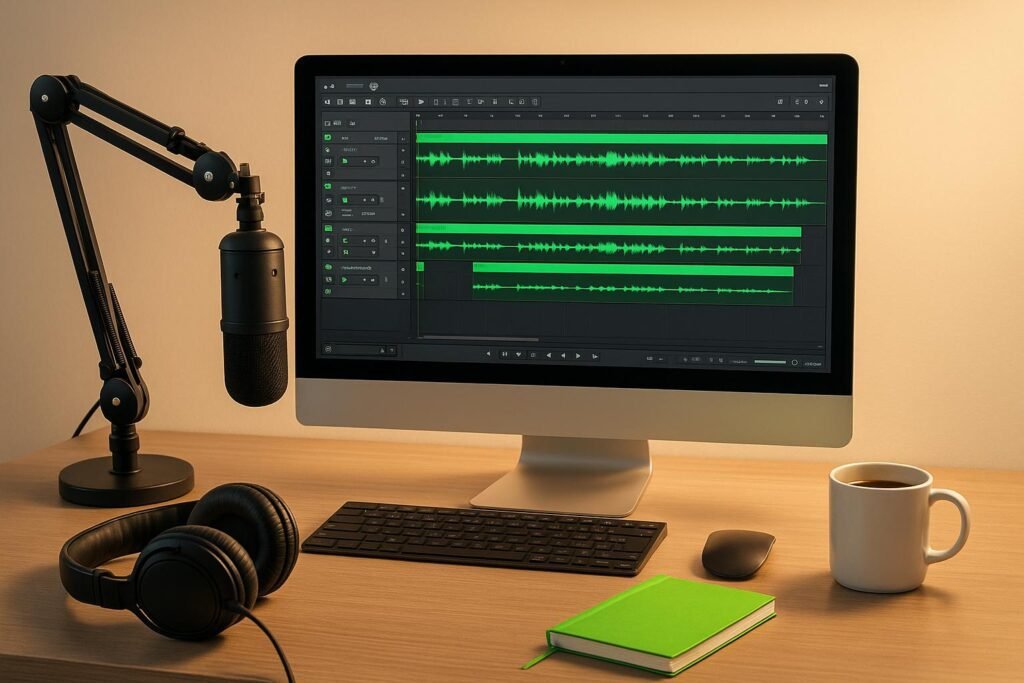
A Digital Audio Workstation (DAW) is essential for podcast production, handling everything from recording to editing and publishing. Choosing the right DAW depends on your podcast’s format, your budget, and your technical skills. Here’s a quick overview to help you decide:
- Quick Comparison Table
- Best DAW for Podcasting (Podcast Editing Software)
- Step 1: Determine Your Podcast Requirements
- Analyze Your Podcast Format
- List Your Required Features
- Plan for Future Expansion
- Step 2: Set Your Budget Parameters
- Free vs. Paid DAW Options
- One-Time Purchase vs. Monthly Subscriptions
- Hidden Costs to Consider
- Step 3: Match DAWs to Your Technical Experience
- Beginner-Friendly DAW Options
- Advanced DAWs for Experienced Users
- Operating System Compatibility
- sbb-itb-0e595bb
- Step 4: Compare Top Podcasting DAWs
- DAW Feature Comparison Chart
- Key Considerations for Choosing a DAW
- Step 5: Get Professional Guidance and Resources
- Save Time with Sounds Debatable‘s Expert Recommendations
- Personalized Consulting for Your Podcasting Needs
- Learn from Real-World Examples
- Conclusion: Select the Right DAW for Your Podcast
- FAQs
- What’s the difference between free and paid DAWs, and how do they affect your podcast’s quality?
- How do I choose the right DAW for my podcast’s format and long-term goals?
- What should I consider when choosing between a one-time purchase DAW and a subscription-based DAW?
- Related Blog Posts
- Formats and Needs: Interview shows need multitrack recording and noise reduction. Storytelling podcasts require advanced editing tools. Solo shows can work with simpler software.
- Budget: Free options like Audacity and GarageBand are great for beginners. Paid tools, such as Logic Pro ($199.99) or Reaper ($60), offer more advanced features.
- Skill Level: Beginners may prefer user-friendly tools like GarageBand or Alitu ($38/month). Advanced users might benefit from Reaper, Logic Pro, or Pro Tools for professional-grade features.
- Platform Compatibility: Some DAWs, like GarageBand and Logic Pro, are Mac-only, while others, like Audacity and Reaper, work across multiple systems.
Quick Comparison Table
| DAW | Price | Platform | Best For | Key Features |
|---|---|---|---|---|
| Audacity | Free | Windows/Mac | Beginners, tight budgets | Basic editing, no real-time effects |
| GarageBand | Free | Mac only | Mac users, beginners | Easy interface, built-in tools |
| Reaper | $60 | Windows/Mac | Advanced users, customization | Multitrack, VST support |
| Logic Pro | $199.99 | Mac only | Advanced Mac users, music-heavy | Professional plugins, automation |
| Adobe Audition | $20.99/month | Windows/Mac | Professionals, teams | Noise reduction, Adobe integration |
| Alitu | $38/month | Web-based | Automation-focused beginners | Automatic editing, hosting included |
The right DAW should simplify your workflow, match your production goals, and grow with your podcast over time. If you’re unsure, start simple and upgrade as your skills and needs evolve.
Best DAW for Podcasting (Podcast Editing Software)
Step 1: Determine Your Podcast Requirements
Before diving into podcast production, it’s important to define your format and goals. These will guide you in choosing a DAW (Digital Audio Workstation) that meets your specific needs. Picking the right DAW upfront can save you from dealing with tools that are overly complicated or too limited for your workflow.
Analyze Your Podcast Format
The type of podcast you’re creating heavily influences the DAW features you’ll rely on. Here’s how different formats shape your needs:
- Interview and panel shows: These formats require multitrack recording so each speaker can be recorded separately. Noise reduction tools are also essential for cleaning up audio, especially when guests are in different environments. If you’re conducting remote interviews, look for a DAW with built-in remote recording capabilities.
- Narrative and storytelling podcasts: These shows often involve intricate editing, sound design, and smooth transitions. A DAW that handles complex timelines efficiently and offers audio automation is a must.
- Music-focused podcasts: If your podcast incorporates original music or backing tracks, you’ll need MIDI support and VST compatibility. These features allow for seamless integration of musical elements.
- Solo shows or minimal editing formats: Simple DAWs work well here, as there’s no need for advanced features. However, roundtable discussions benefit from tools that can manage multiple audio streams simultaneously.
| Podcast Format | Essential DAW Features | Example DAWs |
|---|---|---|
| Interview/Panel | Remote recording, multitrack, noise reduction | Alitu, Hindenburg, Reaper |
| Narrative/Storytelling | Advanced editing, sound design, automation | Reaper, Pro Tools, Audition |
| Music-Focused | MIDI, VST support, multitrack | Logic Pro, FL Studio |
| Video Podcast | Video sync, multicam, audio post-production | DaVinci Resolve, Adobe Audition |
List Your Required Features
Once you’ve identified your podcast format, make a list of the features you’ll need. Here are some key ones to consider:
- Multitrack recording: Essential if you’re recording multiple speakers or layering sound effects and music.
- Noise reduction: Crucial for cleaning up audio recorded in suboptimal conditions or with remote guests.
- Automated editing tools: These can save time by handling tasks like leveling audio and removing silence. For instance, Alitu ($38/month) focuses on automation to streamline editing.
- Transcription features: Tools like Hindenburg (starting at $12/month) offer text-based editing, allowing you to edit audio as easily as cutting and pasting text.
- Real-time effects processing: If you prefer to monitor effects during recording, choose a DAW with this capability. Free options like Audacity lack real-time processing, which might slow down your workflow.
These features will help ensure your DAW aligns with your production style and makes your editing process as smooth as possible.
Plan for Future Expansion
Think about where you want your podcast to go in the future. Choosing a DAW that can grow with you will save time and effort down the line. For example, if you plan to add video components, look for a DAW with video syncing or one that integrates well with video editing software.
As of 2024, over 60% of new podcasters start with free or low-cost DAWs like Audacity or GarageBand. However, many upgrade to more advanced tools as their needs evolve[2]. Starting with a DAW that offers upgrade options can save you from having to learn an entirely new system later.
If you anticipate adding more segments, incorporating detailed sound design, or managing multiple shows, ensure your DAW can handle this increasing complexity without performance issues.
There’s also a growing trend toward all-in-one podcast production platforms, which combine recording, editing, transcription, and publishing in one package[2][4]. If you value a streamlined workflow and don’t mind subscription fees, these platforms might be a better fit for your expansion plans than traditional standalone DAWs.
Once you’ve outlined your requirements, you’ll be ready to consider your budget in Step 2.
Step 2: Set Your Budget Parameters
Your budget plays a crucial role in deciding which DAW (Digital Audio Workstation) fits your podcasting needs. By understanding pricing structures, you can allocate your resources more effectively. Let’s break down your options to help you match your budget with the right DAW.
Free vs. Paid DAW Options
Free DAWs – like Audacity, GarageBand, and Cakewalk – are great for beginners or those on tight budgets. They offer basic tools for recording and editing but often lack advanced features like real-time processing, a wide range of plugins, and dedicated customer support.
On the other hand, paid DAWs deliver more advanced capabilities. For example:
- Logic Pro ($199.99): Comes with a vast library of high-quality plugins, virtual instruments, and seamless integration with Apple products.
- Reaper: Offers an honor-based licensing model. After a 60-day free trial, personal users pay $60, while commercial users earning over $20,000 annually face higher fees.
Paid DAWs are designed to enhance your workflow with features like improved noise reduction, sophisticated automation tools, and professional mixing options. These can make a noticeable difference in your podcast’s sound quality.
One-Time Purchase vs. Monthly Subscriptions
Once you’ve decided between free and paid DAWs, it’s time to consider how payment structures impact your long-term costs.
- One-Time Purchases: These require an upfront payment but eliminate recurring fees. For instance:
- Reaper: $60 for a permanent license.
- Logic Pro: $199.99 for lifetime access.
These options are ideal for podcasters looking to produce episodes over the long term. For context, Reaper’s $60 fee is roughly equivalent to just four months of a typical subscription-based DAW.
- Subscription-Based DAWs: These spread costs over time and often include integrated services. Examples include:
- Descript: $16/month, combining audio editing with automatic transcription and text-based editing.
- Alitu: $38/month, which includes podcast hosting, automated audio processing, and transcription.
- Hindenburg: Starts at $12/month, focusing on spoken-word content with specialized podcasting tools.
Here’s a quick comparison:
| Pricing Model | Examples | Monthly Cost | Best For |
|---|---|---|---|
| Free | Audacity, GarageBand, Cakewalk | $0 | Beginners, tight budgets |
| One-time Purchase | Reaper ($60), Logic Pro ($199.99) | $0 after purchase | Long-term users, permanent licenses |
| Subscription | Descript ($16), Alitu ($38), Hindenburg ($12+) | $12–$38 | Integrated services, regular updates |
If you’re planning a long-term podcast, a one-time purchase can save you money in the long run. For example, Reaper could cost less than a year of Descript, even without factoring in additional transcription or hosting expenses.
However, subscription-based services shine when you need an all-in-one solution. While Alitu’s $38/month fee may seem steep, it bundles editing software, hosting, and transcription services – reducing the hassle of managing multiple tools.
Hidden Costs to Consider
When budgeting, don’t overlook potential extra costs. Some DAWs require additional plugin purchases for advanced features, while others come fully equipped. For example, Adobe Audition is part of the Creative Cloud suite and costs $20.99/month. Though pricier, this subscription also grants access to other Adobe apps, which could be valuable for podcasters who also need tools for video editing or promotional graphics.
Step 3: Match DAWs to Your Technical Experience
Finding the right DAW (Digital Audio Workstation) for your skill level is essential. The right choice can save you time, reduce frustration, and make the editing process more enjoyable.
Beginner-Friendly DAW Options
If you’re just starting out, it’s best to go with software that emphasizes ease of use over advanced features. For Mac users, GarageBand is a standout. Its drag-and-drop interface and built-in tutorials make recording, editing, and exporting audio a breeze – even for someone with zero experience.
For those using Windows or looking for a free, cross-platform option, Audacity is a solid pick. While its interface might feel a bit dated, it’s a trusted tool for millions of podcasters. It handles essential tasks like recording, cutting, and noise reduction without overwhelming you with unnecessary features.
Another option to consider is Waveform Free. Available for both Windows and Mac, it offers a sleek, modern interface that feels less intimidating. When you’re ready to unlock more advanced tools, you can upgrade to the full version for $69.
If you’d prefer to skip the technical side altogether, Alitu might be your answer. At $38/month, this web-based tool automates audio processing, noise removal, and even publishing, so you can focus entirely on your content.
Once you’ve mastered the basics, you can explore more advanced DAWs to take your podcast production to the next level.
Advanced DAWs for Experienced Users
For those ready to dive deeper into professional-grade tools, advanced DAWs open up a world of possibilities. Reaper is a favorite among seasoned users for its extensive customization options. Nearly every aspect of its interface and workflow can be tailored to your needs. And at just $60 for a license, it offers professional features without breaking the bank.
If you’re an Apple user, Logic Pro is a powerful choice. Priced at $199.99, it comes packed with a vast plugin library, professional-quality effects, and advanced automation tools. It’s ideal for multi-track projects and integrates seamlessly with other Apple software.
For those looking to work at a professional studio level, Pro Tools is the gold standard. While its free version covers basic needs, the paid tiers unlock features like surround sound mixing and collaboration tools. However, its steep learning curve makes it better suited for those with prior audio engineering experience.
Windows users might want to check out Cakewalk. Once a paid professional DAW, it’s now completely free and offers advanced features like MIDI sequencing and professional mixing tools without any cost.
Before committing to an advanced DAW, make sure it’s compatible with your computer’s operating system.
Operating System Compatibility
Your computer’s operating system plays a big role in determining which DAWs you can use. For instance, GarageBand is exclusive to Mac, while Cakewalk only works on Windows.
If you need flexibility, cross-platform DAWs like Audacity, Reaper, and StudioOne work on both Windows and Mac, making it easier to switch systems or collaborate with others. For Linux users, options are more limited, but Audacity remains a reliable free choice.
Web-based tools like Alitu sidestep system compatibility issues entirely, as they run directly in your browser. However, these tools require a stable internet connection and might not perform as smoothly as native software.
| DAW | Skill Level | OS Compatibility | Price | Notable Features |
|---|---|---|---|---|
| Audacity | Beginner | Windows, Mac, Linux | Free | Simple interface, open-source |
| GarageBand | Beginner | Mac only | Free | Intuitive design, built-in tutorials |
| Waveform Free | Beginner | Windows, Mac | Free/$69 | Modern interface, upgrade path |
| Cakewalk | Intermediate | Windows only | Free | Professional features, no cost |
| Reaper | Advanced | Windows, Mac | $60+ | Highly customizable, professional tools |
| Logic Pro | Advanced | Mac only | $199.99 | Extensive plugin library, Apple integration |
When choosing a DAW, aim for one that suits your current skills but also has room for you to grow. A tool like Hindenburg is a great example – it’s tailored for spoken-word content like podcasts, offering an approachable interface for beginners while including advanced features like automatic leveling and specialized noise reduction for voice recordings.
For more advice and examples on picking the right DAW for your needs, check out Sounds Debatable.
sbb-itb-0e595bb
Step 4: Compare Top Podcasting DAWs
By now, you’ve figured out your podcast’s format, budget, and skill level. With those details in mind, it’s time to compare the top digital audio workstations (DAWs) to find the one that best matches your needs. Each DAW comes with its own strengths, so let’s break them down.
DAW Feature Comparison Chart
Here’s a quick look at six popular DAWs, highlighting their key features for podcast production. Focus on the factors that matter most to you – whether it’s cost, ease of use, or advanced tools.
| DAW | Price (USD) | Platform | Recording Tracks | Real-Time Effects | Plugin Support | Learning Curve | Best For |
|---|---|---|---|---|---|---|---|
| Audacity | Free | Windows/Mac/Linux | Yes | No | Third-party only | Easy | Basic editing, tight budgets |
| GarageBand | Free | macOS | Yes | Yes | Built-in library | Very Easy | Mac users, complete beginners |
| Reaper | $60 | Windows/Mac | Yes | Yes | Extensive VST support | Moderate | Customization lovers, pros on a budget |
| Adobe Audition | $20.99/month | Windows/Mac | Yes | Yes | Adobe ecosystem | Moderate | Professional workflows, teams |
| Logic Pro | $199.99 | macOS | Yes | Yes | Extensive plugin library | Moderate | Advanced Mac users, music integration |
| Waveform | Free/$69 | Windows/Mac | Yes | Yes | VST support | Easy | Modern interface seekers |
Each DAW has its own niche. Let’s dive into what makes these tools stand out.
Audacity is a no-cost option for basic editing. As an open-source platform, it benefits from ongoing community updates. However, it lacks real-time effects, which can slow down your workflow if you’re aiming for efficiency[6].
GarageBand is perfect for Mac users who are just starting out. Its user-friendly interface makes it easy to get up and running, but it does have limitations when it comes to handling complex, multi-track projects[4].
Reaper is known for its affordability and flexibility. Its $60 license is ideal for podcasters who want deep customization without breaking the bank. While it has a moderate learning curve, it rewards users who take the time to explore its features[1].
Adobe Audition integrates seamlessly with other Adobe Creative Cloud apps like Photoshop and Premiere Pro. This makes it a great choice for podcasters who already use Adobe tools for branding or video production. It’s a professional-grade option, but the monthly subscription fee can add up over time.
Logic Pro is a premium choice for Mac users at $199.99. It’s packed with features like a robust plugin library and advanced mixing tools, making it ideal for podcasters who want broadcast-quality audio or plan to incorporate music production into their workflow[3].
Waveform offers a sleek, modern interface. Its free version covers basic needs, while the $69 upgrade unlocks advanced features without the complexity of higher-end DAWs. It’s a solid middle ground for those looking for something user-friendly but with room to grow[1].
Key Considerations for Choosing a DAW
- Ease of Use: If you’re a beginner, GarageBand and Waveform are great starting points. They let you jump into editing without a steep learning curve. On the other hand, tools like Reaper and Logic Pro cater to those who are ready to invest time in mastering advanced workflows.
- Podcast-Specific Features: Adobe Audition stands out with its spectral editing, which simplifies tasks like removing background noise. If your podcast includes music or complex audio branding, Logic Pro’s music integration capabilities are hard to beat.
- Platform Compatibility: GarageBand and Logic Pro are exclusive to macOS, so Windows users will need to look elsewhere. Audacity, Reaper, Adobe Audition, and Waveform work across both Windows and macOS, with Audacity even supporting Linux.
- Cost: Pricing is a big factor. Audacity and GarageBand are free, making them ideal for tight budgets. Reaper, Logic Pro, and Waveform require one-time payments, while Adobe Audition operates on a subscription model, which could impact your long-term budget.
Step 5: Get Professional Guidance and Resources
If the comparison charts haven’t led you to a clear decision, turning to expert advice can make all the difference. Choosing the right DAW can feel like a balancing act – juggling technical features, budget limitations, and long-term needs. Sometimes, a personalized recommendation is exactly what you need to make the best choice for your specific situation.
Save Time with Sounds Debatable‘s Expert Recommendations
Instead of spending countless hours testing DAWs on your own, you can tap into curated advice from industry professionals. Sounds Debatable is a go-to resource for podcasting tools and expertise, offering a wealth of real-world examples and insights in one convenient place. This can save you from the costly trial-and-error process that so many podcasters face when selecting their equipment.
The advisory firm behind Sounds Debatable has worked with notable clients like Indeed, Creator of Braingames, Who Smarted, and Ligue 1, as well as hundreds of other businesses. This hands-on experience means their recommendations are rooted in both technical knowledge and business acumen.
"Life’s too short for trial and error. Book a paid consulting session with a podcast expert – get your answers now, no searching, no wasted time, just excellence delivered." – Sounds Debatable [5]
Personalized Consulting for Your Podcasting Needs
Whether you’re just starting out or tackling a complex setup, professional consulting can ensure your DAW fits your needs and grows with your podcast. Sounds Debatable offers one-on-one consulting sessions, priced at $149 for 30 minutes or $195 for a full hour. These sessions provide tailored advice based on your podcast format, technical skills, and budget.
For instance, if you’re planning a show with remote interviews and multiple guests, an expert can recommend DAWs with robust collaboration features and guide you through the setup process. If you’re a beginner, they can point you toward user-friendly options that help you build confidence while learning the ropes.
This kind of guidance is especially useful for navigating the challenges that generic reviews often overlook. Many podcasters find themselves switching DAWs after just a few months because their initial choice doesn’t meet their growing needs. Professional advice can help you avoid this pitfall by selecting a platform that scales with your show, saving you time and effort down the line.
Learn from Real-World Examples
In addition to consulting, Sounds Debatable’s directory offers curated recommendations and insights from successful podcasters who’ve tested various DAW setups. This gives you a peek into how different tools perform in real production environments – not just in controlled testing scenarios.
With tailored advice and real-world insights, you can confidently choose a DAW that aligns with your podcasting goals and sets you up for success.
Conclusion: Select the Right DAW for Your Podcast
Picking the right DAW means aligning it with your podcast’s format, budget, skill level, and the features that best fit your workflow. This choice isn’t just about where you are now – it’s about growing alongside your podcast.
If you’re hosting a solo podcast, a simple, free, or low-cost tool might do the trick. On the other hand, multi-host productions often demand more advanced multitrack capabilities. Starting with a basic option and upgrading as your needs evolve is a smart strategy. Your level of technical expertise matters just as much as your budget. Beginners may find complex tools overwhelming, while seasoned users might eventually outgrow simpler software. The goal? Find a DAW that pushes your skills just enough without slowing you down.
It’s normal to take time adjusting to a new tool. But if your workflow feels like a constant uphill battle, it might be time to reconsider your choice. On the flip side, if you notice faster editing and better audio quality, it’s a good sign your DAW is working for you, not against you.
Still unsure after poring over features and comparison charts? Sometimes, expert advice can cut through the noise. The team at Sounds Debatable has helped major clients like Indeed and Who Smarted by offering tailored recommendations. They provide one-hour consulting sessions for $195 or shorter, focused 30-minute calls for $149.
Ultimately, your DAW should feel like an extension of your creative process, not a roadblock. Whether you stick with a free option or invest in a more specialized tool, the right choice will support your current workflow while leaving room for growth. Trust the steps you’ve taken to make this decision, and remember – your setup can always evolve as your podcast does. A well-chosen DAW lays the foundation for efficient production and keeps your creativity flowing.
FAQs
What’s the difference between free and paid DAWs, and how do they affect your podcast’s quality?
Free digital audio workstations (DAWs) come with basic tools for recording and editing, making them a solid option for beginners or casual podcasters. They’re great for getting started but often fall short when it comes to advanced features. For instance, you might miss out on multi-track editing, high-quality plugins, or the ability to customize your workflow – important elements if you’re looking to refine your podcast’s sound.
Paid DAWs, in contrast, offer a much broader range of tools. These include advanced audio processing, professional-grade effects, and better handling of larger, more complex projects. Prices typically range from $50 to several hundred dollars, but the investment can elevate your production quality and streamline your workflow. If your goal is to create a polished, professional podcast, a paid DAW may be worth considering.
In the end, your choice will depend on factors like your goals, budget, and level of experience. Not sure where to begin? Check out trusted resources like Sounds Debatable for expert advice and tailored recommendations to meet your podcasting needs.
How do I choose the right DAW for my podcast’s format and long-term goals?
Choosing the right DAW (Digital Audio Workstation) for your podcast hinges on a few key factors: your podcast’s format, your technical know-how, and where you see your podcast heading in the future. Start by figuring out what you need. Do you need advanced editing tools for intricate audio work? Or are you looking for something simple and user-friendly? Maybe compatibility with plugins is a must for your workflow.
Next, take a good look at your budget. How much are you ready to spend on software? And don’t forget to think long-term – pick a DAW that can keep up as your podcast grows and your needs expand.
If you’re feeling stuck, reaching out to a podcast expert can be a smart move. They can offer personalized advice to help you choose a DAW that aligns with your goals and addresses any challenges you might face.
What should I consider when choosing between a one-time purchase DAW and a subscription-based DAW?
When choosing between a one-time purchase DAW and a subscription-based DAW, think about your budget, how often you’ll use it, and your long-term plans.
A one-time purchase DAW is a solid choice if you prefer to pay upfront and have lifetime access to the software. This can save you money in the long run, especially if you don’t need frequent updates or plan to use the same version for years. Keep in mind, though, that updates aren’t always included, and upgrading to newer versions might come with additional costs.
On the other hand, subscription-based DAWs offer access to the latest features, updates, and customer support for a recurring fee. This setup is ideal if you want to stay up-to-date with technology or need the flexibility to adjust or cancel your subscription. Just remember, the costs can add up over time, so make sure it fits both your budget and your podcasting needs.