
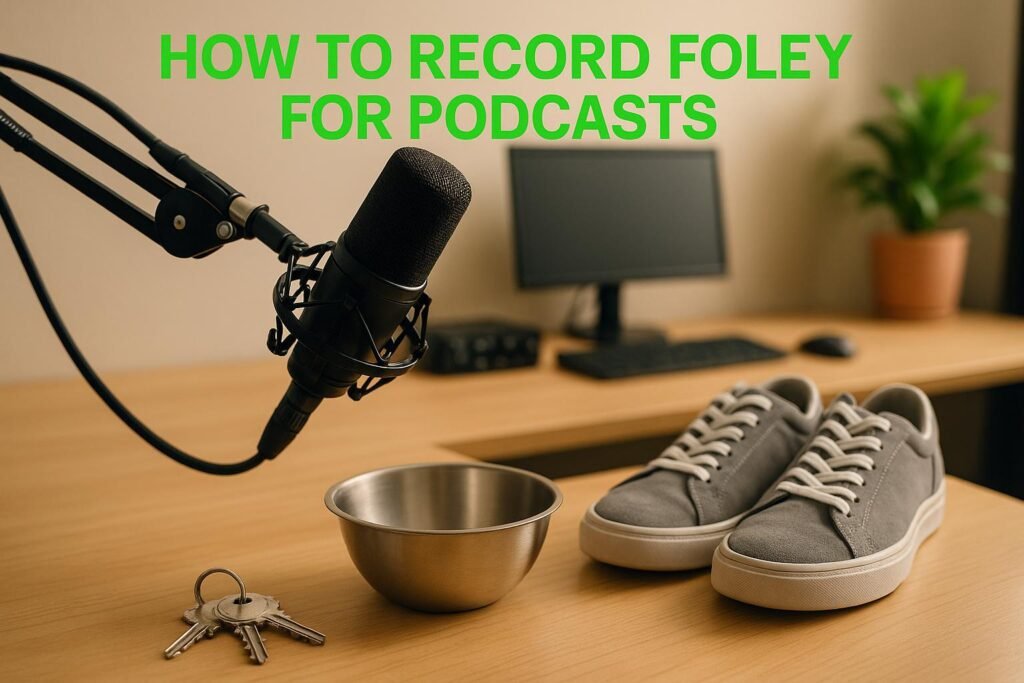
Foley is the art of creating custom sound effects using everyday objects to enhance podcast storytelling. Unlike stock sounds, Foley adds realism and depth, helping listeners stay engaged. This guide covers everything you need to know to start recording Foley, from essential equipment and workspace setup to planning, recording, and editing techniques.
- Key Takeaways:
- Equipment and Workspace Setup
- Equipment You Need for Foley Recording
- Setting Up a Foley Recording Space
- Cost Considerations and US Standards
- Planning and Selecting Foley Sounds
- Finding Key Podcast Moments for Foley
- Choosing Props and Materials for Foley Effects
- Matching Sounds to Context for Realism
- Recording Foley: Techniques and Best Practices
- Microphone Placement and Recording Levels
- Step-by-Step Guide to Recording Foley
- Editing and Adding Foley to Podcasts
- Basic Editing Techniques for Foley Tracks
- Syncing Foley with Dialogue and Music
- File Management and Reuse
- sbb-itb-0e595bb
- Expert Resources and Professional Guidance
- Use Sounds Debatable for Podcasting Success
- Consulting Services for US-Based Podcasters
- How To Record Foley
- Conclusion: Improve Your Podcast with Foley
- FAQs
- How can I use everyday objects to create Foley sound effects for my podcast?
- How can I make sure my Foley sound effects blend well with the dialogue in my podcast?
- What should I avoid when recording and editing Foley for my podcast?
- Related Blog Posts
Key Takeaways:
- What You’ll Need: A good microphone (shotgun or condenser), audio interface, and free or paid editing software.
- Workspace Tips: Choose a quiet room with soft furnishings or DIY acoustic treatments to reduce noise. Organize props for efficiency.
- Planning Foley: Identify key moments in your podcast script where sound effects can improve the scene. Everyday objects often work better than perfect replicas.
- Recording Techniques: Use dual-microphone setups and follow proper placement rules for clean sound. Record multiple takes and room tone for flexibility.
- Editing Foley Sounds: Trim, layer, and adjust EQ/compression for polished effects. Sync effects with dialogue and music for seamless integration.
Foley adds subtle, impactful details to your podcast, bringing scenes to life without overwhelming the listener. Even with basic tools and a small budget, you can create professional-quality soundscapes.
Equipment and Workspace Setup
Equipment You Need for Foley Recording
You don’t need a fancy studio to dive into Foley recording. What matters most is having reliable equipment and a well-organized space to produce high-quality sound effects that bring your stories to life. Start with a good microphone – it’s the backbone of your setup. Whether you go for a shotgun mic or a condenser model, pick one that suits your recording environment and captures the subtle details you’re after. Pair it with a dependable audio interface to fine-tune your recording levels. For editing, even free software can get you started, with the option to upgrade to more advanced digital audio workstations as your projects evolve.
Once your gear is ready, focus on setting up a space that enhances sound quality.
Setting Up a Foley Recording Space
Designing a Foley workspace takes a bit of planning, but it doesn’t have to be complicated. Choose the quietest room you can find – soft furnishings like carpets, curtains, and sofas are your friends here, as they help absorb unwanted sound. If your room has hard surfaces, you can get creative with temporary fixes like hanging heavy blankets or investing in budget-friendly acoustic foam panels.
Keep your props organized for efficiency. Use labeled storage bins, preferably clear ones, to quickly find what you need [3]. A percussion tray stand can also be handy for keeping tools within arm’s reach during recording [2].
It’s a good idea to create zones in your workspace for different types of sounds – footsteps, fabric rustling, or handheld items, for example [1]. Many Foley artists keep a collection of shoes and flooring materials on hand to replicate specific actions [2]. Don’t forget about lighting! A well-lit space helps you see your props clearly and ensures smooth synchronization during recordings [1].
With your space ready, you’ll be set to capture clean, professional-quality sound effects.
Cost Considerations and US Standards
When planning your Foley setup, aim for a balance between quality and budget. Many creators start with a basic setup that covers the essentials, then upgrade piece by piece as their needs grow. The goal is to create an environment that supports both clear dialogue recording and the precise capture of sound effects.
Make sure your workspace is spacious enough for comfortable movement and easy access to your props. Even a small room can work wonders with some simple DIY acoustic treatments. By starting smart and scaling up over time, you can build a setup that meets your creative goals without breaking the bank.
Planning and Selecting Foley Sounds
Finding Key Podcast Moments for Foley
The magic of Foley lies in knowing where to place it, not just how to record it. Start by diving into your podcast script or raw audio with a fresh perspective. Pay attention to more than just the dialogue – listen for the subtle sounds that could help bring your scene to life. Think about moments like a door creaking open, footsteps echoing on a tiled floor, or the rustle of fabric as someone shifts in their chair. Take note of specifics like the type of footwear or the surface being walked on to ensure the sounds feel authentic and layered [6].
Approach this like a sound detective, carefully piecing together the auditory elements that can elevate your storytelling. The goal isn’t to overwhelm listeners with sound effects but to create an immersive soundscape that fits seamlessly with the mood and themes of your podcast.
To sharpen your skills, start paying closer attention to the everyday sounds around you. By training your ear to notice and deconstruct these sounds, you’ll get better at identifying the moments in your podcast that could benefit from well-placed effects. These observations will also guide your choices when it comes to props and recording techniques [4].
Choosing Props and Materials for Foley Effects
Once you’ve pinpointed the key moments that need Foley, it’s time to focus on props. The trick is to choose items that produce rich, versatile sounds rather than obsessing over finding props that look like the real thing. Foley artists often tweak or exaggerate sounds to amplify their emotional impact [10][11].
Some of the most effective props are surprisingly simple. For example, a single leather item can mimic the sound of clothing rustling or a chair creaking, depending on how it’s used. Foley artist Gregg Barbanell swears by an old ammo pouch he found at a surplus store for its distinctive leather creak, perfect for creating the sound of someone leaning back in a leather armchair [10].
Keep an open mind and experiment with everyday objects. You might be surprised by what works. That random pogo stick in the garage? It might just give you the perfect sound for a screen door, as Barbanell discovered [10]. Many effective Foley props are inexpensive or even free if you adopt a "hunter-gatherer" mindset. Constantly test random items in your environment to uncover their hidden sound potential [9][11][12].
Durability is another factor to consider. Fragile or messy items like real snow or fresh leaves are often swapped out for longer-lasting alternatives that are easier to handle [9][10]. Worn shoes from thrift stores, for instance, can sound far more realistic than brand-new ones [9].
Safety and practicality also come into play. Substitute props are often a better choice than the real thing – fake bones instead of real ones, or a prop gun instead of an actual firearm. The key is to find objects with strong sound-producing qualities that can surprise you with their versatility [9][10].
Matching Sounds to Context for Realism
Once you’ve planned your sounds and gathered your props, it’s all about tailoring each effect to the scene. Context is everything – a single sound can take on entirely different meanings depending on how it’s used [12]. For instance, the sound of crumpled leather might mimic footsteps in one scene and the rustle of clothing in another.
Think about the mood you’re trying to create and the emotions you want your listeners to feel [7][8]. For a tense thriller, the sound of keys jingling might be sharp and metallic, while in a cozy morning scene, the same keys could sound soft and subdued. These subtle adjustments can make a big difference in how your audience experiences the story.
Experiment with recording sounds at different distances to add depth and flexibility. For example, a door closing sounds completely different when recorded up close versus from across the room. Having both versions on hand allows you to match the perspective of your scene [11].
Layering is another powerful tool. Combine multiple Foley sounds to craft unique atmospheres and add richness to your audio [5][7]. For example, a blend of footsteps, distant chatter, and a faint breeze can create a bustling outdoor market scene. Foley also helps fill gaps in music or dialogue, adding organic movement that complements rather than competes with your main audio elements [5].
Recording Foley: Techniques and Best Practices
Microphone Placement and Recording Levels
Getting the microphone placement just right is crucial for creating professional Foley recordings. A dual-microphone setup works best: one mic captures the direct sound, while the other picks up ambient reflections. For the direct sound, position a shotgun microphone aimed directly at the source of the action. To gather the reflected sound waves, place a condenser microphone pointing away from the action [13].
When recording footsteps, position the microphone about 12–18 inches in front of your feet. This setup minimizes background noise and avoids accidental contact with the mic [14]. Using shock mounts is a must, especially on surfaces like wooden floors, where vibrations can cause unwanted rumbling [14]. If you’re working with multiple microphones, follow the 3:1 rule: keep each mic at least three times farther from other microphones than from its intended sound source [15].
Keep a close eye on recording levels. For podcasts, levels should generally fall between –16 LUFS and –20 LUFS [16]. According to Apple’s podcast standards, aim for an overall loudness of about –16 dB LKFS with a tolerance of ±1 dB, while ensuring true-peak values don’t exceed –1 dB FS [17]. Continuously monitor these levels during both recording and editing to maintain consistency [16].
Step-by-Step Guide to Recording Foley
Once your workspace and equipment are ready, these steps will help you create Foley effects that seamlessly fit into your podcast’s narrative.
Start by organizing your workspace and props. Arrange everything within easy reach and test your props beforehand. This preparation ensures you can perform Foley actions naturally and in sync with the scene.
Set up your microphones following the dual-mic approach mentioned earlier. Before you begin recording effects, capture a few seconds of room tone. This ambient sound can be a lifesaver during editing, helping you fill gaps or create smooth transitions between effects.
While recording, monitor through headphones. This allows you to align your Foley effects with dialogue as you perform them. If syncing in real time feels tricky, try recording the Foley at a slightly slower pace than needed. You can always adjust the timing during the editing phase.
For every sound effect, record multiple takes. Experiment with variations in intensity, distance, and timing to give yourself plenty of options during editing. Keep detailed notes about the props and techniques used for each take so you can recreate or tweak them later if needed.
Editing and Adding Foley to Podcasts
Basic Editing Techniques for Foley Tracks
Once you’ve recorded your Foley, the real magic happens during editing. This is where raw sounds are shaped into polished effects that enhance your podcast’s storytelling. Start by trimming each recording to remove any unwanted noise or silence. Precise cuts are key to keeping your audio clean and professional.
For a richer, more natural sound, try layering multiple takes. For instance, you could combine a close-mic recording of footsteps with an ambient track to add depth and room tone. When layering, make sure the primary sound takes center stage, while the supporting layers remain subtle.
EQ adjustments are essential to make your Foley blend seamlessly into the overall mix. A high-pass filter can eliminate low-frequency rumbles, and further tweaks – like boosting midrange or treble frequencies – can help emphasize the unique characteristics of the sound, especially if it was recorded on different surfaces.
Compression can also be a game-changer. A light compression ratio with a slow attack time works well for maintaining the natural feel of sounds like door slams or rustling paper. This approach smooths out volume inconsistencies without losing the raw texture of the effects.
By applying these techniques, your Foley recordings will sound clear and cohesive, ready to integrate into your podcast’s mix.
Syncing Foley with Dialogue and Music
To make Foley feel like a natural part of your podcast, synchronization is crucial. Use your audio software’s waveform displays to align the effects precisely with dialogue or other key moments.
For example, position footsteps so they naturally lead into a character’s speech or time a door creak just before someone starts talking. Balancing volumes is equally important – dialogue should remain the focus, while Foley and music act as subtle enhancers of the overall narrative.
Dynamic mixing techniques, like automation curves, can elevate your mix even further. For instance, allow Foley effects to swell during pauses in dialogue, then lower their volume when speaking resumes. This creates a responsive, polished mix that feels intentional and engaging.
Once your Foley is synced, organizing your audio files will save you time and effort down the road.
File Management and Reuse
Keeping your Foley library organized can make your workflow much smoother. Use a clear naming convention that includes details like effect type, date, and a brief description – e.g., "Footsteps_Wood_Slow_Take03.wav" – so files are easy to identify at a glance.
Set up folders that mirror your creative process. For example, create main categories like "Footsteps", "Doors", "Paper", and "Ambient", then subdivide them by material type or intensity. Keep raw recordings and edited versions clearly labeled to avoid confusion.
Standardizing your recordings to a consistent sample rate and bit depth ensures compatibility and quality across projects. Batch-converting files to match these settings can save time and maintain uniformity.
Documenting your setups – such as microphone positions, props used, and any special techniques – can be invaluable for recreating specific sounds in future episodes. A well-organized Foley library not only speeds up production but also ensures you can easily reuse sounds, saving you from having to start from scratch.
Finally, don’t underestimate the importance of backups. Store copies of your library on an external drive and in the cloud to protect your work. This is especially important for unique sounds that may be difficult or impossible to replicate. A solid backup strategy safeguards your investment in time and creativity.
sbb-itb-0e595bb
Expert Resources and Professional Guidance
Use Sounds Debatable for Podcasting Success

Creating high-quality Foley for your podcast requires more than just good equipment and basic know-how. That’s where Sounds Debatable steps in. This platform offers a rich collection of podcasting resources, real-world examples, and expert advice. Whether you’re seeking inspiration, looking to sharpen your skills, or exploring Foley techniques, Sounds Debatable provides everything you need to elevate your audio game.
Their philosophy is simple: why waste time on trial and error when you can learn from the pros? Instead of endlessly tweaking microphone placements or struggling to align Foley effects with dialogue, you gain access to tried-and-true strategies from seasoned industry experts.
Sounds Debatable has built a reputation for excellence, earning the trust of high-profile clients like Indeed, the creators of Who Smarted?, Ligue 1, and many more. Their expertise has helped podcasters at all levels improve their audio production, including the intricate craft of Foley recording.
The platform’s curated approach saves you from wading through outdated advice or generic tips. Every resource – whether it’s a gear recommendation or a recording technique – has been carefully vetted by professionals who understand the unique challenges of podcast Foley work.
If you’re looking for personalized guidance, their consulting options are worth exploring.
Consulting Services for US-Based Podcasters
When it comes to Foley recording, a little expert advice can make the difference between amateur audio and a polished, professional production. Sounds Debatable offers consulting services tailored specifically for US-based podcasters, with flexible options to suit various needs and budgets.
- One-hour session: $195 – Comprehensive guidance on syncing Foley effects, choosing the right microphones, and solving audio issues.
- 30-minute session: $149 – Focused advice for tackling specific Foley-related challenges.
Foley work isn’t one-size-fits-all. The needs of a true crime podcast are vastly different from those of a scripted fiction series or an interview-based show. Professional consulting helps you avoid common mistakes, like over-editing effects, misaligned timing, or using sounds that disrupt the listener’s experience.
Investing in expert advice can save you time, money, and frustration. Instead of spending weeks experimenting or buying unnecessary gear, you’ll get clear, actionable solutions right away. It’s a fast track to achieving the audio quality your podcast deserves.
How To Record Foley
Conclusion: Improve Your Podcast with Foley
Foley has the power to turn your podcast into an engaging, immersive experience. To get started, evaluate your content to identify where sound effects can make the biggest impact. Set up a functional workspace with the right equipment, and carefully plan out which moments in your narrative would benefit most from added sound. From there, focus on mastering recording techniques, syncing sounds seamlessly with your dialogue, and keeping your files well-organized for future use. These steps will help you build a soundscape that grabs your listeners’ attention right away.
Across different genres, Foley can enhance storytelling in countless ways. The sound of footsteps can build suspense, ambient noises can establish a sense of place, and subtle details like the rustling of paper or the creak of a door can add a layer of authenticity that keeps your audience hooked.
You don’t need a complicated setup to get started. A good microphone, an audio interface, and a few everyday household items can help you create professional-quality effects. As you gain experience, you can expand your gear and refine your technique to take your production to the next level.
Precision and timing are key when using Foley. Overdoing it can pull listeners out of the story, but carefully placed effects can emphasize critical moments and enhance your narrative. Always prioritize sounds that serve your story rather than trying to showcase technical skills. Striking this balance between creativity and technical execution is crucial for a polished production.
Foley is both an art and a skill, offering endless ways to strengthen your storytelling. The more you practice, the better you’ll get at recognizing the perfect moments to add sound and choosing effects that resonate with your audience.
FAQs
How can I use everyday objects to create Foley sound effects for my podcast?
Everyday items can work wonders when it comes to crafting unique Foley sound effects for your podcast. For instance, smashing a pumpkin with a sledgehammer can create the sound of something breaking or even an explosion. Need a squishy or gooey texture? Try squeezing a wet sponge. A rainstick can mimic the soft patter of rain or even the hum of insects. And that squeaky pop of a cork being pulled from a bottle? It could double as the voice of an alien or some otherworldly creature.
The key is to think outside the box. Experiment with objects you have on hand – sometimes the most unexpected items produce the most memorable effects. Don’t forget to test and layer your sounds to bring your scene to life in just the right way!
How can I make sure my Foley sound effects blend well with the dialogue in my podcast?
To make sure your Foley sound effects add to your podcast rather than overwhelm it, start by balancing the volume levels. The goal is to let the effects support your story while keeping the dialogue front and center.
You can also apply audio mixing techniques like EQ and compression to blend everything seamlessly. For instance, reducing the midrange frequencies of Foley sounds can help the dialogue stay sharp and easy to follow.
Lastly, listen to your mix on different devices – headphones, speakers, or even a car stereo. This step ensures your audio sounds well-balanced no matter where it’s played.
What should I avoid when recording and editing Foley for my podcast?
When working on Foley for your podcast, there are a few common missteps you’ll want to avoid to ensure your audio sounds polished and professional:
- Recording in a poor environment: Using the wrong microphone or choosing a space with too much noise or echo can seriously impact your sound quality. Opt for a high-quality mic, adjust its settings carefully, and record in a quiet space with good acoustics.
- Misaligned timing: Foley effects need to match the action or moment they’re meant to enhance. If they’re even slightly off, they can pull listeners out of the experience. During editing, double-check that your effects line up seamlessly with the intended moments.
- Unwanted background sounds: Distracting noises like mouth clicks or a low hum in the background can disrupt the listening experience. Test your mic placement, run sound checks, and use noise reduction tools during editing to keep the audio crisp and clean.
By addressing these common issues, you’ll create Foley that elevates your podcast and keeps your audience immersed in the story.